How to Install Python PIP on Windows
Introduction
Learning Python starts with setting up the right tools on your computer. Install Python PIP on Windows to manage packages and add useful libraries to your Python projects.
For students and fresh graduates in Chennai, learning PIP is an important first step toward practical Python development. Moreover, a working PIP setup helps you install packages for web development, automation, data science, and machine learning.
Table of Contents
- What is Install Python PIP on Windows?
- Why Choose a Install Python PIP on Windows in Chennai?
- Key Modules Covered in a Install Python PIP on Windows
- Practical Tools You Master in Install Python PIP on Windows Training
- Career Opportunities After Completing a Install Python PIP on Windows
- Self-Learning vs. Hands-on Training at Infycle Technologies
- Frequently Asked Questions About Install Python PIP on Windows
- Conclusion
What is Install Python PIP on Windows?
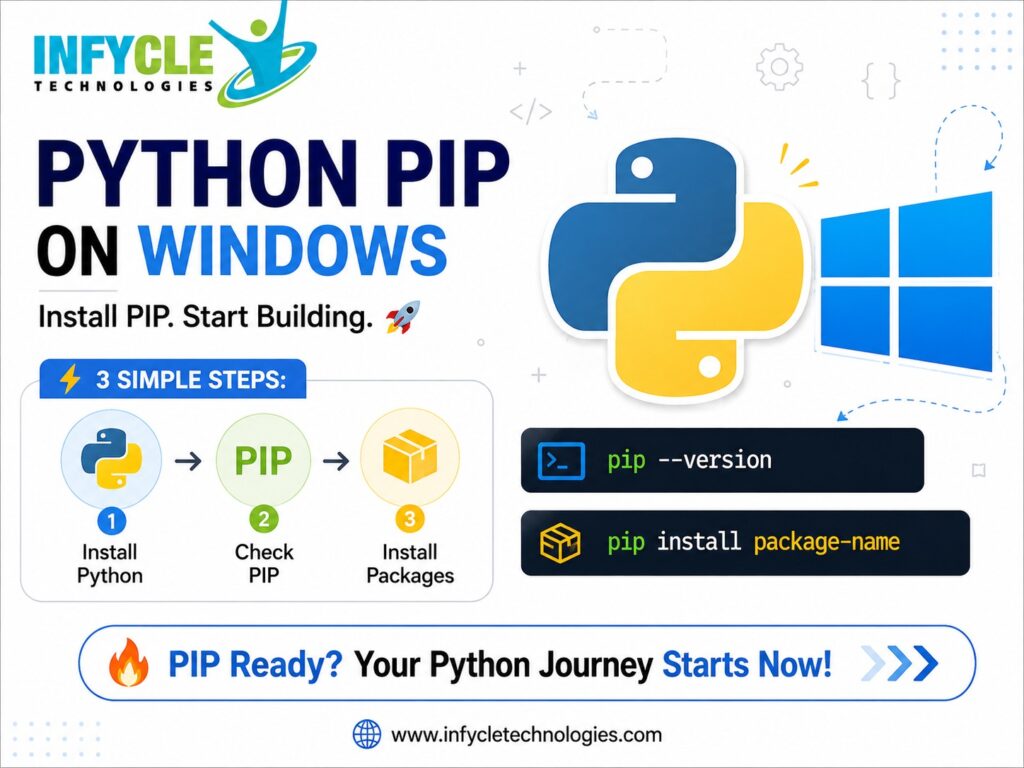
PIP is Python’s package installer, and it lets you download and manage third-party Python packages.
Furthermore, PIP connects your Python environment with the Python Package Index, commonly called PyPI. Developers use it to install libraries such as Requests, NumPy, Pandas, Flask, and Django.
For example, you can install a package by opening Command Prompt and running:
py -m pip install requestsUsing py -m pip is useful on Windows because it connects PIP with the Python launcher. As a result, you reduce confusion when multiple Python versions exist.
Check Whether Python Is Installed
First, open Command Prompt from the Windows Start menu. Then, enter:
py --versionIf Python is installed correctly, Windows should display your Python version.
You can also try:
python --versionHowever, the py command is often convenient on Windows systems. If neither command works, you may need to install Python or correct your PATH configuration.
Check Whether PIP Is Available
After confirming Python, check PIP with:
py -m pip --versionIf PIP is available, the command displays its version and installation location. Therefore, you can immediately begin installing Python packages.
If Windows reports that PIP cannot be found, continue with the troubleshooting steps below.
Why Choose a Install Python PIP on Windows in Chennai?
Learning package management through practical exercises makes Python easier to use for real projects.
Moreover, students in Chennai can connect basic Python setup skills with larger development goals. These skills support learning paths involving automation, backend development, data analysis, testing, and machine learning.
A structured Python Training in Chennai program can also help beginners understand virtual environments, dependencies, project structures, and package management.
Install Python Correctly on Windows
The easiest approach is to install Python from the official Python installer. During installation, select the option to add Python to the system PATH.
Next, complete the installation and open a new Command Prompt window. Then, verify Python again with:
py --versionAfter that, verify PIP:
py -m pip --versionThis simple check confirms whether the basic Python environment is ready.
Install PIP Using Python
Most current Python installations include PIP automatically.
Therefore, you usually do not need to install PIP separately. If PIP is missing, Python provides a built-in method that can help restore it.
Run:
py -m ensurepip --upgradeThen check PIP again:
py -m pip --versionIf the command succeeds, PIP should now be available for your Python installation.
Key Modules Covered in a Install Python PIP on Windows
A practical setup should cover Python, PIP, packages, virtual environments, and basic command-line usage.
Furthermore, students should understand why each tool matters instead of simply copying commands.
Upgrade PIP
Keeping PIP updated can help maintain a reliable package-management workflow.
Run:
py -m pip install --upgrade pipThen verify the installed version:
py -m pip --versionFor instance, this command can be useful when a package installation produces an outdated-installer warning.
Install a Python Package
PIP makes package installation straightforward.
For example:
py -m pip install numpyYou can install another package in the same way:
py -m pip install pandasAfter installation, Python can import the package inside your project. Consequently, you can use ready-made functionality instead of writing every feature from scratch.
View Installed Packages
You can check installed packages with:
py -m pip listThis command displays package names and their installed versions.
In addition, you can inspect a particular package with:
py -m pip show pandasThis is useful when troubleshooting dependencies or checking where a package was installed.
Use a Requirements File
Python projects often use a requirements.txt file to record dependencies.
For example:
py -m pip install -r requirements.txtThis approach helps developers recreate a project’s package environment. As a result, teams can maintain more consistent development setups.
Practical Tools You Master in Install Python PIP on Windows Training
Practical learning should include Command Prompt, PIP commands, virtual environments, package installation, and dependency management.
For example, you can create a virtual environment with:
py -m venv myprojectThen activate it on Windows:
myproject\Scripts\activateAfter activation, packages installed through PIP remain connected to that project environment. Therefore, different projects can use different package versions without unnecessary conflicts.
Career Opportunities After Completing a Install Python PIP on Windows
Understanding PIP supports several Python-based career paths, although PIP itself is not a job qualification.
Furthermore, package management becomes useful when you work with real development projects. Developers regularly install frameworks, libraries, testing tools, and data-processing packages.
Python skills can support roles such as:
- Python Developer
- Junior Software Developer
- Automation Tester
- Data Analyst
- Backend Developer
- Machine Learning Intern
- QA Automation Engineer
Students looking for a structured Python Course in Chennai can combine Python fundamentals with project-based practice. In addition, learning Git, SQL, APIs, and basic debugging can improve practical readiness.
Common PIP Problems on Windows
Most PIP errors come from Python installation, PATH configuration, permissions, or package compatibility.
'pip' Is Not Recognized
If Windows shows that pip is not recognized, try:
py -m pip --versionThis method can work even when the standalone pip command is unavailable.
If that fails, check whether Python is installed correctly. You can also reinstall Python and enable the PATH option during installation.
Access or Permission Errors
Permission problems can occur when installing packages into protected directories.
Therefore, using a virtual environment is often a cleaner solution for project development. It keeps project dependencies separate from the system Python installation.
Package Installation Fails
First, read the error message carefully. Then check the package name, Python version, internet connection, and available package compatibility.
For example, updating PIP can resolve some installer-related problems:
py -m pip install --upgrade pipHowever, not every installation error comes from PIP itself. Some packages require additional system dependencies or compatible Python versions.
Self-Learning vs. Hands-on Training at Infycle Technologies
Both approaches can help you learn Python, but hands-on practice provides structured guidance when problems appear.
| Learning Method | Self-Learning | Hands-on Training at Infycle Technologies |
|---|---|---|
| Python basics | Flexible | Guided |
| PIP practice | Command-based learning | Practical exercises |
| Error troubleshooting | Search required | Trainer guidance |
| Projects | Self-managed | Structured projects |
| Doubt clarification | Delayed | Direct support |
| Career guidance | Limited | Training-focused guidance |
A beginner can certainly learn PIP independently. However, structured training can shorten the learning curve when you face installation errors or unfamiliar development concepts.
If you want to Install Python PIP on Windows and move from basic setup to practical Python development, Infycle Technologies can help you build that foundation.
Furthermore, guided training can cover Python programming, packages, projects, and career-oriented skills. Explore practical learning options in Chennai and choose a course that matches your career goal.
Frequently Asked Questions About Install Python PIP on Windows
Is PIP included with Python on Windows?
Yes, modern Python installations normally include PIP. Therefore, you can verify it with py -m pip --version after installing Python.
How can I Install Python PIP on Windows?
You can normally get PIP through the standard Python installation. If PIP is missing, run py -m ensurepip --upgrade and verify the result.
Which command installs a Python package?
Use py -m pip install package-name in Command Prompt. For example, py -m pip install requests installs the Requests package.
Should beginners use virtual environments?
Yes, virtual environments are recommended for individual projects. They keep dependencies separate and make project management easier.
Conclusion
Setting up Python correctly makes the next stage of programming much easier. PIP helps you install libraries, manage dependencies, and prepare projects for practical development.
Furthermore, students can build stronger skills by combining Python fundamentals with packages, virtual environments, Git, SQL, and real projects. For learners in Chennai, Python Training in Chennai can provide a structured path from basic programming to practical application.
Choosing the best software training institute in Chennai should involve more than course promises. Look for practical sessions, experienced trainers, project exposure, doubt support, and career guidance.
Final CTA
Ready to start your Python learning journey?
Connect with Infycle Technologies in Chennai for free career counselling and a live training demo. Get guidance on the right Python learning path, understand the course structure, and take your next step toward an IT career.