Python Data Types Explained with Examples for Beginners
Introduction
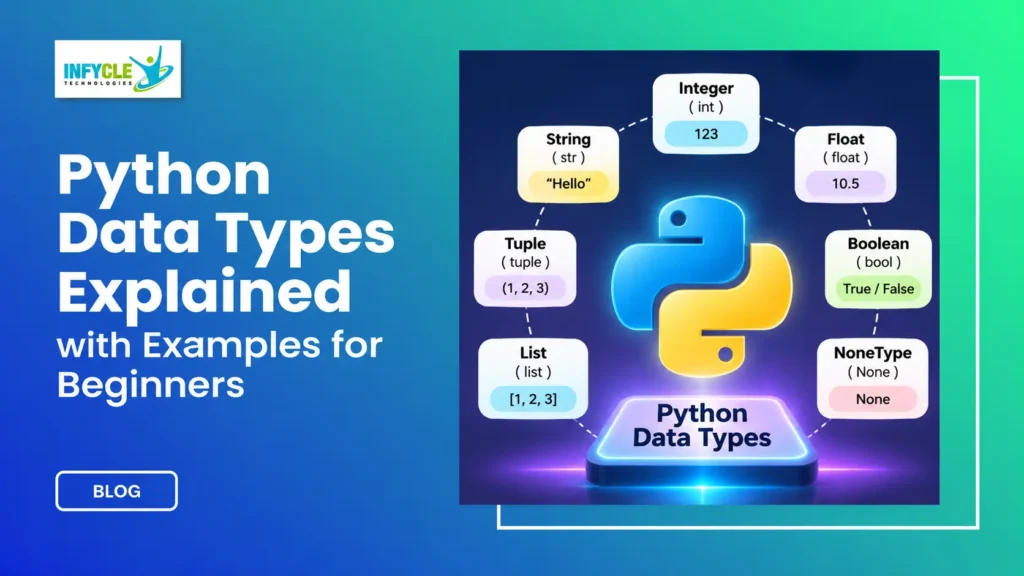
Python is one of the most popular programming languages for beginners, data analysts, and software developers. However, understanding its fundamentals is essential before building real-world applications. One important concept every beginner should learn is Python Data Types.
Python data types define the kind of value a variable can store. For example, a number, text, decimal value, or collection of items can have different data types. Therefore, understanding these types helps you write better code and avoid common programming errors.
Whether you are a college student, fresher, or working professional, learning Python data types gives you a strong programming foundation. Furthermore, these concepts play an important role in data analysis, machine learning, web development, and automation.
In this guide, you will learn different Python data types with simple explanations, practical examples, and comparison tables. Additionally, you will understand how to check data types, convert values, and choose the right type for different programming tasks.
If you are planning to start your programming career, learning these fundamentals is an excellent first step.
Table of Contents
- What Are Python Data Types?
- What Are the Different Python Data Types?
- What Are Numeric Data Types in Python?
- How Does the String Data Type Work?
- What Is the Boolean Data Type in Python?
- What Are Python Sequence Data Types?
- What Are Python Set and Dictionary Data Types?
- How Can You Check and Convert Python Data Types?
- Mutable vs Immutable Data Types
- Self-Learning vs Structured Python Training
- Frequently Asked Questions
- Conclusion
1. What Are Python Data Types?
Python data types define the category of information stored in a variable. They help Python understand whether a value represents a number, text, a collection, or another type of information.
For example:
name = "Karthick"
age = 23
salary = 25000.50
is_student = True

print(type(name))
print(type(age))
print(type(salary))
print(type(is_student))
Output:
<class 'str'>
<class 'int'>
<class 'float'>
<class 'bool'>
Here, each variable stores a different type of value. Therefore, Python automatically identifies the data type based on the assigned value.
Unlike Java and C, Python does not require you to declare a variable’s data type explicitly. Instead, Python uses dynamic typing.
Why Are Python Data Types Important?
Python data types help programmers manage information correctly. Moreover, they make calculations, comparisons, and data processing easier.
Here are some important benefits:
- Data management: Organize different kinds of information.
- Accurate calculations: Perform mathematical operations correctly.
- Error prevention: Avoid incompatible operations.
- Code readability: Understand what each variable represents.
- Data analysis: Process numbers, text, and collections efficiently.
For instance, adding two integers performs a mathematical operation. However, combining two strings joins their text values.
2. What Are the Different Python Data Types?
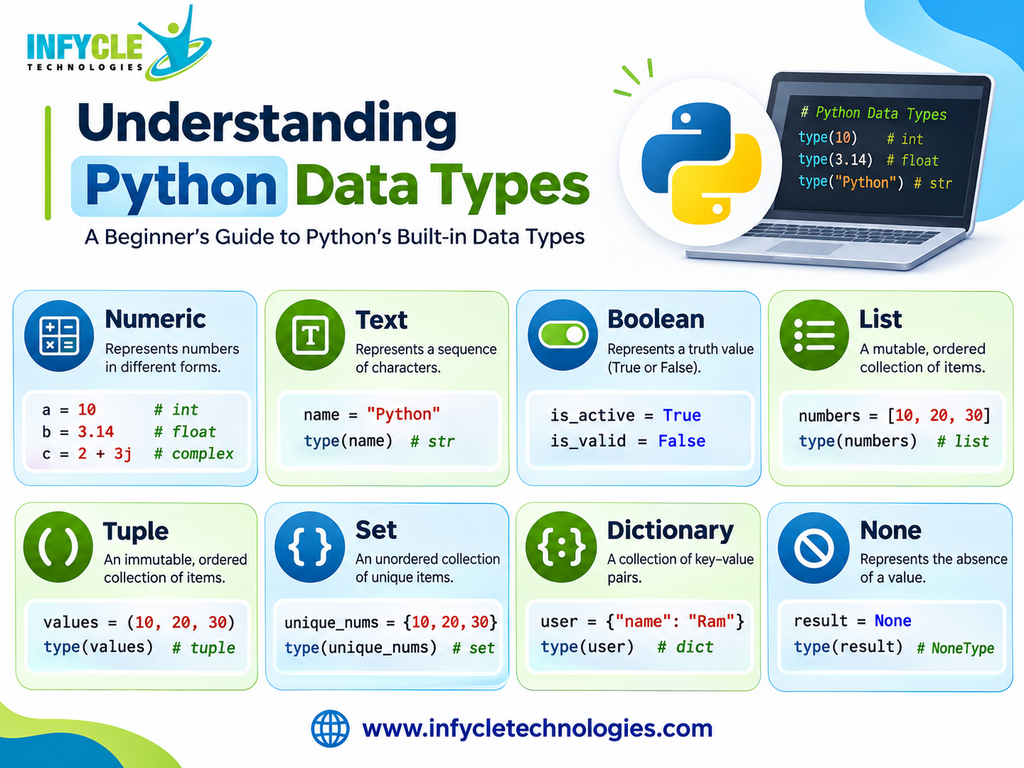
Python provides several built-in data types for storing and managing information. These types belong to different categories, depending on the values they represent.
The following table explains the main Python data types.
| Category | Data Type | Example |
|---|---|---|
| Numeric | int | 100 |
| Numeric | float | 25.50 |
| Numeric | complex | 3 + 4j |
| Text | str | “Python” |
| Boolean | bool | True |
| Sequence | list | [10, 20, 30] |
| Sequence | tuple | (10, 20, 30) |
| Sequence | range | range(5) |
| Set | set | {10, 20, 30} |
| Set | frozenset | frozenset({1, 2}) |
| Mapping | dict | {“name”: “Ram”} |
| Binary | bytes | b”Hello” |
| Binary | bytearray | bytearray(5) |
| Binary | memoryview | memoryview(bytes(5)) |
| None | NoneType | None |
Furthermore, Python groups these data types into different categories. Understanding these categories makes programming easier.
The major categories include:
- Numeric types
- Text type
- Boolean type
- Sequence types
- Set types
- Mapping type
- Binary types
- None type
Let’s understand each category with practical examples.
3. What Are Numeric Data Types in Python?
Numeric data types store numbers and support mathematical operations. Python provides three main numeric types: int, float, and complex.
A. Integer (int)
An integer represents a whole number without decimal points. For example, age, quantity, and student count commonly use integers.
age = 23
students = 50
year = 2026

print(age)
print(type(age))
Output:
23
<class 'int'>
Additionally, integers can store positive numbers, negative numbers, and zero.
B. Float (float)
A float represents a number containing a decimal point. Therefore, it is useful for storing prices, percentages, and measurements.
price = 499.99
percentage = 85.5
temperature = 32.6

print(price)
print(type(price))
Output:
499.99
<class 'float'>
For instance, a data analyst may use float values to calculate average salaries or product prices.
C. Complex (complex)
A complex number contains a real part and an imaginary part. Python uses the letter j to represent the imaginary component.
number = 3 + 4j

print(number)
print(type(number))
Output:
(3+4j)
<class 'complex'>
Complex numbers are useful in scientific computing, engineering, and mathematical applications.
4. How Does the String Data Type Work?
The string data type stores text, characters, and other textual information. Python represents strings using single quotes, double quotes, or triple quotes.
For example:
name = "Karthick"
course = 'Python Programming'
message = """Welcome to Python Training"""

print(name)
print(course)
print(message)

print(type(name))
Output:
Karthick
Python Programming
Welcome to Python Training
<class 'str'>
Furthermore, Python provides several useful string operations.
Common String Operations
1. Concatenation
Concatenation combines two or more strings.
first_name = "Karthick"
last_name = "R"

full_name = first_name + " " + last_name

print(full_name)
Output:
Karthick R2. String Length
The len() function returns the number of characters.
language = "Python"

print(len(language))
Output:
63. String Indexing
Indexing accesses individual characters using their positions.
language = "Python"

print(language[0])
print(language[2])
Output:
P
t
4. String Slicing
Slicing extracts a specific portion of a string.
language = "Python Programming"

print(language[0:6])
Output:
PythonTherefore, strings are especially useful when handling names, email addresses, customer information, and text data.
5. What Is the Boolean Data Type in Python?
The Boolean data type represents only two values: True and False. It helps programmers make decisions using conditions and logical operations.
For example:
is_available = True
is_logged_in = False

print(type(is_available))
print(is_available)
Output:
<class 'bool'>
True
Moreover, Boolean values are commonly used in conditional statements.
Boolean Example Using Conditions
age = 22

if age >= 18:
    print("Eligible to vote")
else:
    print("Not eligible to vote")
Output:
Eligible to voteHere, Python checks whether the age is greater than or equal to 18. Consequently, the condition returns True or False.
Boolean values are also useful in login systems, eligibility checks, filtering, and data validation.
6. What Are Python Sequence Data Types?
Python sequence data types store multiple values in an ordered collection. The main sequence types are list, tuple, and range.
A. List (list)
A list stores multiple items in a single variable. Additionally, lists allow duplicate values and support changes after creation.
fruits = ["Apple", "Banana", "Mango"]

print(fruits)
print(fruits[0])

fruits.append("Orange")

print(fruits)
Output:
['Apple', 'Banana', 'Mango']
Apple
['Apple', 'Banana', 'Mango', 'Orange']
Important list features:
- Ordered collection
- Allows duplicate values
- Supports different data types
- Mutable, meaning you can modify its values
B. Tuple (tuple)
A tuple stores multiple values in an ordered collection. However, unlike lists, tuples cannot be modified after creation.
colors = ("Red", "Green", "Blue")

print(colors)
print(colors[1])
print(type(colors))
Output:
('Red', 'Green', 'Blue')
Green
<class 'tuple'>
Therefore, tuples are useful when storing fixed information, such as coordinates or configuration values.
C. Range (range)
The range data type generates a sequence of integers. It is commonly used in loops and repetitive operations.
numbers = range(1, 6)

for number in numbers:
    print(number)
Output:
1
2
3
4
5
Furthermore, range is memory-efficient because it generates values when needed instead of storing every value as a list.
List vs Tuple vs Range
| Feature | List | Tuple | Range |
|---|---|---|---|
| Syntax | [] | () | range() |
| Ordered | Yes | Yes | Yes |
| Mutable | Yes | No | No |
| Duplicates | Yes | Yes | Depends on sequence |
| Common usage | Dynamic data | Fixed data | Number sequences |
7. What Are Python Set and Dictionary Data Types?
Python provides set and dictionary types to manage collections of information. However, they store and organize data differently.
A. Set (set)
A set stores unique elements without maintaining a guaranteed insertion order. Therefore, duplicate values automatically disappear.
numbers = {10, 20, 30, 20, 10}

print(numbers)
print(type(numbers))
Output:
{10, 20, 30}
<class 'set'>
Furthermore, sets support useful mathematical operations.
Union:
a = {1, 2, 3}
b = {3, 4, 5}

print(a.union(b))
Output:
{1, 2, 3, 4, 5}Intersection:
print(a.intersection(b))Output:
{3}Sets are useful for removing duplicates and comparing unique values.
B. Dictionary (dict)
A dictionary stores information in key-value pairs. Each key helps you access its corresponding value.
For example:
student = {
    "name": "Arun",
    "age": 22,
    "course": "Python",
    "location": "Chennai"
}

print(student["name"])
print(student["course"])
print(type(student))
Output:
Arun
Python
<class 'dict'>
Additionally, dictionaries allow you to add, update, and remove information.
Adding a new item:
student["marks"] = 85

print(student)
Updating an existing value:
student["age"] = 23

print(student["age"])
Dictionaries are widely used in APIs, JSON data, web applications, and data analysis.
8. How Can You Check and Convert Python Data Types?
Python provides built-in functions to identify and convert data types. These functions help programmers understand variable values and handle different kinds of information.
A. How to Check Data Types Using type()
The type() function identifies the data type of a variable.
a = 100
b = 25.5
c = "Python"
d = True

print(type(a))
print(type(b))
print(type(c))
print(type(d))
Output:
<class 'int'>
<class 'float'>
<class 'str'>
<class 'bool'>
B. How to Use isinstance()
The isinstance() function checks whether a value belongs to a particular data type.
age = 25

print(isinstance(age, int))
print(isinstance(age, str))
Output:
True
False
Therefore, isinstance() is useful when validating data before performing operations.
C. What Is Type Conversion in Python?
Type conversion changes a value from one data type to another. Python supports both implicit and explicit type conversion.
1. Implicit Type Conversion
Python automatically converts compatible values into another type during certain operations.
a = 10
b = 5.5

result = a + b

print(result)
print(type(result))
Output:
15.5
<class 'float'>
Here, Python converts the integer into a float during the calculation.
2. Explicit Type Conversion
Explicit conversion happens when a programmer manually changes a value using built-in functions.
| Function | Purpose | Example |
|---|---|---|
| int() | Converts to integer | int(“25”) |
| float() | Converts to float | float(“10.5”) |
| str() | Converts to string | str(100) |
| bool() | Converts to Boolean | bool(1) |
| list() | Converts to list | list((1, 2)) |
| tuple() | Converts to tuple | tuple([1, 2]) |
| set() | Converts to set | set([1, 2, 2]) |
| dict() | Creates a dictionary | dict([(“a”, 1)]) |
Example:
number = "100"

converted_number = int(number)

print(converted_number)
print(type(converted_number))
Output:
100
<class 'int'>
However, not every conversion is valid. For example, converting "Hello" into an integer raises a ValueError.
9. What Is the Difference Between Mutable and Immutable Data Types?
Mutable data types allow changes after creation, whereas immutable data types do not allow changes to their existing values.
Understanding this difference helps you manage memory and avoid unexpected programming errors.
Mutable Data Types
Mutable objects allow programmers to modify their contents without creating a completely new object.
Examples include:
- List
- Dictionary
- Set
- Bytearray
numbers = [10, 20, 30]

numbers[0] = 100

print(numbers)
Output:
[100, 20, 30]Here, Python updates the existing list.
Immutable Data Types
Immutable objects cannot change their contents after creation. However, you can create a new object with a different value.
Examples include:
- Integer
- Float
- Complex
- String
- Tuple
- Boolean
- Frozenset
- Bytes
- Range
name = "Python"

name = name + " Programming"

print(name)
Here, Python creates a new string rather than modifying the original string.
Mutable vs Immutable Comparison
| Feature | Mutable | Immutable |
|---|---|---|
| Modification | Allowed | Not allowed |
| Examples | List, Set, Dict | String, Tuple, Int |
| Object identity | Can remain the same | Changes when reassigned to a new value |
| Usage | Frequently changing data | Fixed values |
Therefore, choose mutable types when your collection needs updates. On the other hand, immutable types work well for values that should remain unchanged.
10. How Can You Learn Python Data Types Through Practical Training?
Practical learning helps beginners understand Python concepts more effectively. Therefore, combine theoretical knowledge with coding exercises and real-world projects.
For instance, you can practise the following beginner projects:
- Student Management System: Store student names, marks, and details using lists and dictionaries.
- Simple Calculator: Use integer and float values for mathematical operations.
- Employee Salary Calculator: Perform salary calculations using numeric data types.
- Duplicate Value Remover: Use sets to identify unique values.
- Personal Information System: Store names, ages, and contact details using strings and dictionaries.
Why Choose Structured Python Training?
Structured training provides a clear learning path and practical guidance. Moreover, experienced trainers can help beginners understand difficult programming concepts.
At Infycle Technologies, Chennai, learners can build their Python foundation through practical exercises and guided learning.
Our Python learning approach focuses on:
- Python fundamentals and programming basics
- Variables and Python data types
- Conditional statements and loops
- Functions and object-oriented programming
- Lists, tuples, sets, and dictionaries
- File handling and exception handling
- NumPy and Pandas fundamentals
- Practical assignments and projects
Ready to start learning Python?
Explore the Python Training at Infycle Technologies and take your first step towards a programming career.
You can also attend a free demo class to understand the training approach before joining.
11. Self-Learning vs Structured Python Training: Which Is Better?
Both self-learning and structured training can help you learn Python. However, your learning style, consistency, and career goals determine the most suitable approach.
| Comparison | Self-Learning | Structured Training |
|---|---|---|
| Learning method | Independent study | Guided learning |
| Trainer support | Limited | Direct guidance |
| Learning schedule | Flexible | Planned schedule |
| Doubt clarification | Online communities | Trainer support |
| Practical exercises | Self-managed | Guided assignments |
| Projects | Self-selected | Structured practice |
| Learning direction | Requires discipline | Follows a roadmap |
| Feedback | Self-evaluation | Trainer feedback |
For beginners, structured learning can provide better direction and consistent practice. Nevertheless, self-learning remains valuable for revision and exploring additional concepts.
Ultimately, combining trainer guidance with independent practice creates a strong learning experience.
12. Frequently Asked Questions About Python Data Types
1. What Are Python Data Types?
Python data types define the kind of value a variable stores. For example, int stores whole numbers, float stores decimal values, str stores text, and bool stores True or False. Additionally, Python supports collections such as lists, tuples, sets, and dictionaries.
2. How Many Built-in Data Types Are Available in Python?
Python provides several built-in data types across different categories. These include numeric, text, Boolean, sequence, set, mapping, binary, and None types. Specifically, Python offers 15 commonly listed built-in concrete types, including NoneType, for different programming requirements.
3. What Is the Difference Between List and Tuple in Python?
A list is mutable, meaning programmers can add, remove, or modify its elements. However, a tuple is immutable after creation. Both support indexing, ordering, and duplicate values. Therefore, use lists for changing collections and tuples for fixed collections.
4. How Can Beginners Check Data Types in Python?
Beginners can use Python’s built-in type() function to identify a variable’s data type. For example, type(100) returns int, while type("Python") returns str. Additionally, the isinstance() function checks whether a value belongs to a specified type.
5. Is Python Data Types Knowledge Important for Data Analysts?
Yes, Python data types are essential for data analysts. They help professionals handle numerical values, text, dates, and collections correctly. Furthermore, libraries such as Pandas and NumPy use data types during data cleaning, transformation, analysis, and visualization.
Conclusion
Understanding Python data types is an essential step towards becoming a confident Python programmer. From integers and strings to lists, tuples, sets, and dictionaries, each type serves a specific purpose.
Furthermore, learning type conversion, mutability, and data validation helps you write cleaner and more efficient programs.
For beginners, consistent coding practice is the best way to strengthen these fundamentals. Start with simple examples, gradually solve programming problems, and eventually build practical projects.
If you want to develop job-ready programming skills, consider joining Python Training in Chennai at Infycle Technologies. Our practical learning approach helps students, fresh graduates, and career changers develop a strong foundation in Python programming.