HTML Interview Questions and Answers
Introduction
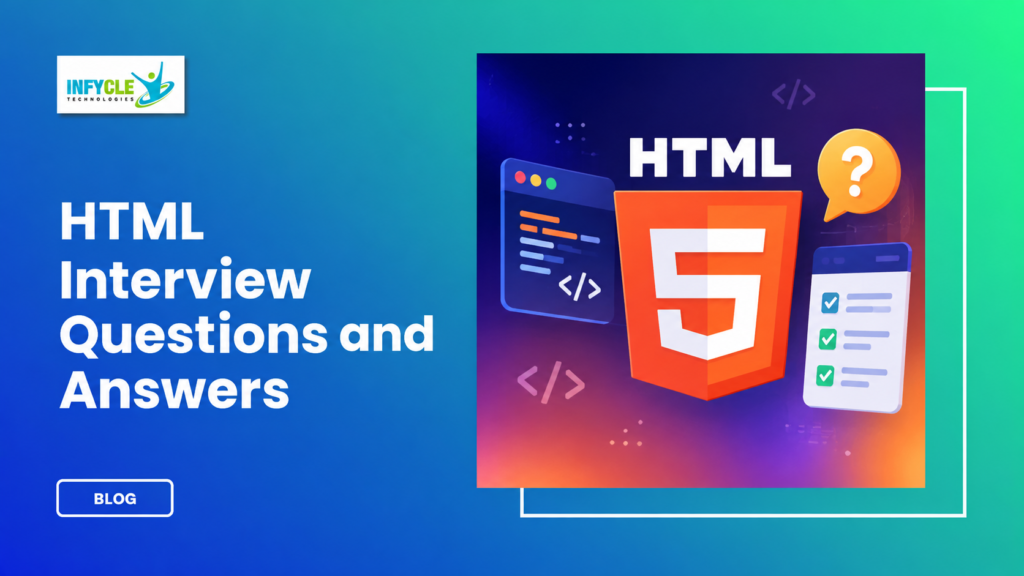
Preparing for an interview becomes easier when you understand the concepts behind your answers. HTML Interview Questions often test your knowledge of web page structure, elements, attributes, forms, and modern HTML5 features.
However, memorizing definitions alone may not help during a technical interview. Therefore, candidates should understand how HTML works and practice writing simple code.
HTML is the foundation of most websites and web applications. Moreover, it works closely with CSS and JavaScript to create complete frontend experiences.
For college students, fresh graduates, and career changers, HTML is an important starting point for web development. In Chennai, practical Full Stack learning can also help candidates build projects and prepare for technical interviews.
Table of Contents
- What is HTML Interview Questions?
- Why Choose a HTML Interview Questions in Chennai?
- Key Modules Covered in a HTML Interview Questions
- Practical Tools You Master in HTML Interview Questions Training
- Important HTML Interview Questions for Beginners
- Advanced HTML Concepts for Interviews
- Career Opportunities After Completing a HTML Interview Questions
- Self-Learning vs. Hands-on Training at Infycle Technologies
- Frequently Asked Questions About HTML Interview Questions
- Conclusion
- Final CTA
What is HTML Interview Questions?
HTML interview preparation focuses on questions about webpage structure, elements, attributes, forms, semantic markup, and HTML5 features. These questions help interviewers understand how well candidates know the fundamentals of web development.
For example, beginners may need to explain what HTML means and how elements work. They may also need to identify the difference between tags, elements, and attributes.
Furthermore, interviewers often ask practical questions. Candidates might need to explain how links, images, tables, lists, and forms work.
What Is HTML?
HTML stands for HyperText Markup Language and provides the structure of a webpage. Therefore, developers use HTML to organize headings, paragraphs, images, links, forms, and other content.
HTML uses elements to describe page content. For instance, <h1> represents a main heading, while <p> represents a paragraph.
What Are HTML Tags?
HTML tags define how browsers interpret different parts of a document. However, not every tag requires a closing tag.
For example, <p> usually has an opening and closing tag. In contrast, elements such as <img> do not require a traditional closing tag.
What Are HTML Attributes?
Attributes provide additional information about HTML elements. For example, the href attribute specifies the destination of a link.
Similarly, the src attribute identifies the source of an image. Therefore, attributes help developers control element behavior and information.
Why Choose a HTML Interview Questions in Chennai?
Strong HTML fundamentals can help Chennai learners prepare for entry-level frontend and Full Stack development roles. HTML is also one of the first technologies introduced in most web development learning paths.
However, interview preparation should go beyond reading questions. Candidates should create pages, build forms, structure content, and solve small frontend tasks.
Moreover, practical training can introduce students to HTML alongside CSS, JavaScript, responsive design, and frontend frameworks. As a result, learners can understand how individual technologies work together.
A Full Stack Developer course in Chennai can provide a structured learning path for candidates who want to develop both frontend and backend skills. Furthermore, project work can give learners practical examples to discuss during interviews.
Key Modules Covered in a HTML Interview Questions
HTML interview preparation should cover document structure, text formatting, links, multimedia, forms, tables, semantic elements, and HTML5 concepts. These areas represent important foundations for frontend development.
HTML Document Structure
A standard HTML document contains elements such as <!DOCTYPE html>, <html>, <head>, and <body>. Therefore, candidates should understand the purpose of each section.
The head section contains information such as the page title and metadata. Meanwhile, the body contains the visible webpage content.
Headings and Paragraphs
HTML provides heading elements from <h1> through <h6>. However, developers should use headings based on content hierarchy rather than visual size alone.
Paragraphs use the <p> element. Moreover, proper heading structure can improve readability and accessibility.
Links and Images
The <a> element creates hyperlinks in HTML. For example, developers can use the href attribute to specify a destination.
The <img> element displays images. Furthermore, the alt attribute provides alternative text that can support accessibility.
Lists and Tables
HTML supports ordered and unordered lists. Therefore, developers can organize related information clearly.
Tables use elements such as <table>, <tr>, <th>, and <td>. In addition, developers should use tables for tabular information rather than page layout.
Forms
Forms collect information from website users. For instance, registration pages can use text fields, email inputs, passwords, radio buttons, checkboxes, and submit buttons.
Moreover, HTML5 provides input types such as email, date, number, and URL. These options can help browsers provide suitable input controls.
Semantic HTML
Semantic elements describe the purpose of content more clearly. Examples include <header>, <nav>, <main>, <section>, <article>, and <footer>.
Therefore, semantic HTML can improve document structure and accessibility. It can also make code easier for developers to understand.
Practical Tools You Master in HTML Interview Questions Training
Practical HTML training helps learners write, test, inspect, and improve webpage code. Students can use browser developer tools and code editors while practicing.
Visual Studio Code is commonly used for writing HTML files. Furthermore, browsers such as Chrome and Edge provide developer tools for inspecting page structure.
Git and GitHub can also support project version control. In addition, learners can use online validation tools to identify markup issues.
Practical exercises may include landing pages, registration forms, portfolio pages, navigation menus, and responsive layouts. As a result, candidates can develop projects that demonstrate their frontend fundamentals.
Important HTML Interview Questions for Beginners
Beginners should prepare clear answers for fundamental HTML concepts before moving to advanced topics. These questions commonly test whether candidates understand core webpage structure.
1. What is the difference between HTML and CSS? [HTML Interview Questions ]
HTML creates webpage structure, while CSS controls presentation and visual styling. Therefore, both technologies perform different roles.
2. What is the purpose of DOCTYPE? [HTML Interview Questions ]
<!DOCTYPE html> tells the browser that the document uses HTML5 standards. Consequently, the browser can render the page using the appropriate standards mode.
3. What is the difference between an ID and a class? [HTML Interview Questions ]
An ID identifies a specific element, while a class can apply to multiple elements. However, developers should use each according to its intended purpose.
4. What are block-level elements?
Block-level elements generally begin on a new line and occupy the available width. Examples include <div>, <p>, and heading elements.
5. What are inline elements?
Inline elements normally occupy only the space their content requires. For example, <span> and <a> are commonly used as inline elements.
6. What is the alt attribute?
The alt attribute provides alternative text for an image. Moreover, useful alt text can support users who cannot see the image.
7. What are semantic elements?
Semantic elements clearly describe the role of their content. For instance, <article> indicates independent content, while <nav> represents navigation.
Advanced HTML Concepts for Interviews
Advanced HTML preparation should include accessibility, multimedia, responsive behavior, metadata, and modern browser features. These topics can help candidates handle more practical interview discussions.
HTML5 supports native audio and video elements. Therefore, developers can embed multimedia without relying entirely on external plugins.
Accessibility is another important topic. For example, meaningful labels, proper heading structures, and useful alternative text can improve usability.
Furthermore, candidates should understand the viewport meta tag. This tag helps browsers control how webpages are displayed on different devices.
HTML also supports attributes such as required, placeholder, disabled, and readonly. Consequently, developers can create more useful form interfaces with built-in browser behavior.
Career Opportunities After Completing a HTML Interview Questions
HTML skills can support entry-level careers in frontend development, web design, and Full Stack development. However, HTML alone is usually only one part of the required skill set.
Possible career paths include:
- Junior Frontend Developer
- Web Developer
- UI Developer
- HTML Developer
- Junior Full Stack Developer
- Web Designer
- Frontend Intern
- WordPress Developer
Furthermore, candidates can strengthen their profiles by learning CSS and JavaScript. React, Git, responsive design, and basic backend concepts can provide additional career value.
A portfolio can also help demonstrate practical ability. For example, candidates can showcase a responsive website, landing page, registration form, and personal portfolio.
Self-Learning vs. Hands-on Training at Infycle Technologies
Hands-on learning gives students opportunities to apply HTML concepts through guided exercises and projects. Self-learning can still provide useful knowledge, especially when learners maintain a consistent practice routine.
| Learning Area | Self-Learning | Hands-on Training at Infycle Technologies |
|---|---|---|
| Learning structure | Self-planned | Structured curriculum |
| Coding practice | Depends on learner | Guided exercises |
| Doubt clarification | Online resources | Trainer guidance |
| Project development | Self-managed | Project-based practice |
| Interview preparation | Independent | Guided preparation |
| Portfolio building | Self-directed | Practical assignments |
| Career guidance | Limited | Career-focused support |
At Infycle Technologies, learners can practice frontend concepts through structured exercises and projects. In addition, trainer support can help beginners understand coding concepts more clearly.
Build practical frontend skills and prepare for technical interviews through structured Full Stack training in Chennai. Learn HTML Interview Questions alongside HTML, CSS, JavaScript, responsive design, and project development.
Infycle Technologies provides practical learning opportunities for students, graduates, and career changers who want to strengthen their web development skills.
Frequently Asked Questions About HTML Interview Questions
1. What are the most important HTML topics for interviews?
HTML Interview Questions commonly cover document structure, tags, attributes, forms, semantic elements, multimedia, and HTML5 features. Therefore, candidates should prepare both definitions and practical examples.
2. Is HTML enough to become a web developer?
HTML provides the foundation, but developers usually need CSS and JavaScript as well. Furthermore, Full Stack roles may require frontend frameworks, backend technologies, databases, and Git.
3. Can freshers prepare for HTML interviews?
Yes, freshers can prepare by learning fundamentals and practicing small projects. For example, creating forms, navigation menus, portfolio pages, and responsive layouts can build practical confidence.
4. Should I learn HTML before JavaScript?
Yes, learning basic HTML first can make JavaScript concepts easier to understand. In addition, HTML provides the page structure that JavaScript can interact with.
Conclusion
HTML provides the basic structure needed to create webpages and web applications. Strong knowledge of elements, attributes, forms, semantic markup, and HTML5 features can help candidates handle technical discussions with greater confidence.
However, frontend development requires more than HTML knowledge. Therefore, learners should gradually add CSS, JavaScript, responsive design, Git, and modern frontend technologies.
A Full Stack Developer course in Chennai can provide a structured route for learners who want to combine these technologies through practical projects. Choosing the best software training institute in chennai can also help students access guided learning and career-focused support.
Ready to strengthen your web development skills?
Join Infycle Technologies for practical Full Stack training, guided projects, technical interview preparation, and career support.
Book your free career counseling session and live demo today. Explore the course structure, understand the learning approach, and take your next step toward a web development career.