JavaScript Interview Questions and Answers: A Beginner-Friendly Guide

Preparing for a JavaScript interview requires more than memorizing definitions. You must understand core concepts, write clean code, and explain how JavaScript works in real applications. Therefore, practicing common JavaScript interview questions can help you improve your technical knowledge and interview confidence.
JavaScript is one of the most widely used programming languages for web development. It helps developers create interactive websites, build web applications, and work with modern frontend and backend technologies. Moreover, many companies expect candidates to understand variables, functions, arrays, objects, promises, and asynchronous programming.
For college students, fresh graduates, and career changers in Chennai, learning JavaScript can open up opportunities in web development. However, beginners should first build a strong programming foundation before moving to advanced frameworks.
This guide covers essential JavaScript interview questions and answers, practical coding examples, and common interview mistakes. In addition, it explains how structured training and hands-on projects can help you prepare for technical interviews.
If you are exploring Java training in Chennai, understanding JavaScript alongside your chosen learning path can also help you compare different software development career options. Although Java and JavaScript have similar names, they are different programming languages with different uses.
Table of Contents
- What Is JavaScript?
- JavaScript Interview Questions for Beginners
- What Is the Difference Between var, let, and const?
- What Are JavaScript Data Types?
- What Is the Difference Between == and ===?
- How Do Functions Work in JavaScript?
- JavaScript Interview Questions on Arrays and Objects
- What Is the Difference Between null and undefined?
- What Are Closures and Hoisting?
- What Are Promises and Async/Await?
- JavaScript Coding Questions for Practice
- Self-Learning vs. Structured Programming Training
- Frequently Asked Questions
- Conclusion
What Is JavaScript?
JavaScript is a programming language that adds interactive behavior to websites and applications. For example, developers use it to validate forms, update page content, respond to clicks, and fetch information from servers.
HTML provides page structure, while CSS controls appearance. JavaScript, meanwhile, handles behavior and interaction.
Common applications include:
- Interactive websites and web applications.
- Frontend development using React or Angular.
- Backend development using Node.js.
- Form validation and dynamic content.
- API integration and asynchronous operations.
Furthermore, JavaScript supports event-driven programming and asynchronous tasks. Consequently, developers can build responsive applications that communicate with servers without refreshing an entire page.
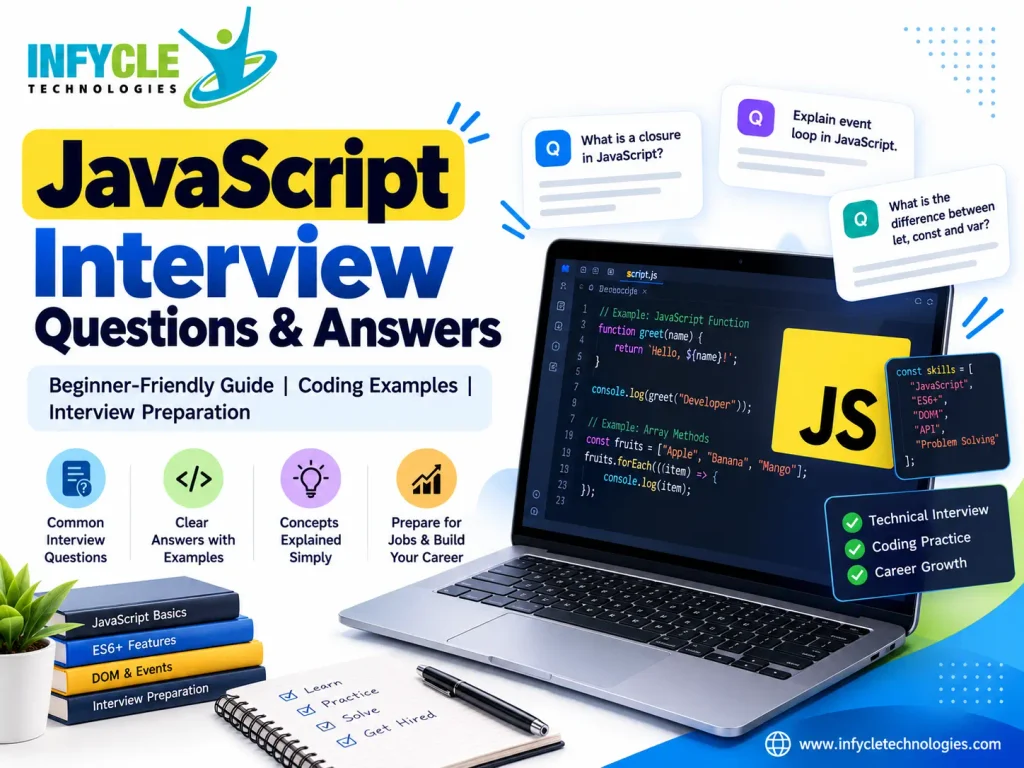
JavaScript Interview Questions for Beginners
JavaScript interview questions for beginners usually test fundamental concepts, syntax, and problem-solving skills. Therefore, start by understanding how the language works before attempting complex coding challenges.
Question 1: What Are Variables in JavaScript?
Variables store values that a program can use or change. JavaScript provides three common declarations: var, let, and const.
Example:
let studentName = "Arun";
const courseName = "JavaScript";
var score = 85;

console.log(studentName);
console.log(courseName);
console.log(score);
Here, let allows reassignment, while const prevents reassignment of the variable binding. However, const does not make an object or array immutable.
Question 2: What Are the Main Features of JavaScript?
JavaScript supports dynamic typing, functions, objects, event handling, and asynchronous programming. In addition, developers can use it in browsers and server environments.
Its flexibility makes it useful for both small website features and large applications. However, developers must understand scope, data types, and asynchronous behavior to avoid common errors.
Question 3: What Is an Arrow Function?
An arrow function provides a shorter syntax for writing functions. Moreover, it handles the this keyword differently from regular functions.
const add = (a, b) => a + b;

console.log(add(5, 3)); // 8
Arrow functions are useful for callbacks and concise operations. However, they do not have their own this binding and cannot be used as constructors.
What Is the Difference Between var, let, and const?
The main difference between var, let, and const involves scope, reassignment, and declaration behavior. In modern JavaScript, developers generally prefer const by default and use let when reassignment is necessary.
| Feature | var | let | const |
|---|---|---|---|
| Scope | Function-scoped | Block-scoped | Block-scoped |
| Reassignment | Allowed | Allowed | Not allowed |
| Redeclaration in the same scope | Allowed | Not allowed | Not allowed |
| Initialization required at declaration | No | No | Yes |
| Temporal dead zone | No | Yes | Yes |
Example:
let age = 22;
age = 23;

const country = "India";

// country = "Japan"; // TypeError

console.log(age);
console.log(country);
Here, age can change because it uses let. However, assigning a new value to country causes an error because it uses const.
Therefore, understanding these declarations is essential for writing predictable code and answering beginner-level interview questions.
What Are JavaScript Data Types?
JavaScript has seven primitive types and one broad non-primitive category: objects. The primitive types are string, number, bigint, boolean, undefined, symbol, and null.
Examples:
let name = "Priya";          // String
let age = 21;                // Number
let isStudent = true;        // Boolean
let result;                  // Undefined
let selectedValue = null;    // Null
let largeNumber = 123n;      // BigInt
let uniqueId = Symbol("id"); // Symbol
let student = { name: "Priya" }; // Object
JavaScript uses dynamic typing, so a variable declared with let can hold values of different types over time. For instance, a variable can initially store a number and later store a string.
However, understanding types helps prevent unexpected results during calculations and comparisons. In addition, remember that typeof null returns "object" because of a historical JavaScript behavior.
What Is the Difference Between == and ===?
The == operator compares values after possible type conversion, whereas === compares values without performing that conversion. Therefore, strict equality is generally the safer default.
Example:
console.log(5 == "5");  // true
console.log(5 === "5"); // false
In the first example, JavaScript converts the string during comparison. However, the strict comparison checks both type and value.
Consider another example:
const firstValue = 10;
const secondValue = 10;

console.log(firstValue === secondValue); // true
Both variables contain the same number, so the comparison returns true.
Consequently, using === in most application code makes comparisons more predictable. Nevertheless, developers should understand coercion rules because interviewers sometimes use them to test deeper JavaScript knowledge.
How Do Functions Work in JavaScript?
Functions are reusable blocks of code that perform specific tasks. They can accept parameters, process information, and return results.
Example:
function multiply(a, b) {
  return a * b;
}

console.log(multiply(4, 5)); // 20
Here, a and b are parameters, while 4 and 5 are arguments. The return statement sends the calculated result back to the caller.
JavaScript supports function declarations, function expressions, and arrow functions. Furthermore, functions can be passed to other functions as arguments, making them useful for callbacks and event handling.
Interviewers may also ask about higher-order functions. A higher-order function accepts another function as an argument or returns a function.
For example, array methods such as map(), filter(), and reduce() often use callback functions. Therefore, practicing these methods helps you prepare for practical coding rounds.
JavaScript Interview Questions on Arrays and Objects
Arrays store ordered collections of values, while objects represent collections of properties and their values. Both structures are important for handling application data.
Question 1: What Is an Array?
An array stores multiple values in a single variable. JavaScript arrays use zero-based indexing, meaning the first element has index 0.
const fruits = ["Apple", "Mango", "Orange"];

console.log(fruits[0]); // Apple

fruits.push("Grapes");

console.log(fruits.length); // 4
Here, push() adds an element to the end of the array. Similarly, methods such as pop(), slice(), and includes() help manipulate or inspect array data.
Question 2: What Is an Object?
An object stores data as key-value pairs. For example, a student object can contain a name, age, and course.
const student = {
  name: "Kumar",
  age: 22,
  course: "Web Development"
};

console.log(student.name);
console.log(student["course"]);
Both dot notation and bracket notation allow property access. However, bracket notation is useful when a property name comes from a variable.
Question 3: What Is the Difference Between map() and filter()?
The map() method transforms every array element, whereas filter() returns only elements that satisfy a condition.
const numbers = [1, 2, 3, 4, 5];

const doubled = numbers.map(n => n * 2);
const evenNumbers = numbers.filter(n => n % 2 === 0);

console.log(doubled);     // [2, 4, 6, 8, 10]
console.log(evenNumbers); // [2, 4]
Therefore, use map() when you need transformed values and filter() when you need selected values. Both methods create new arrays rather than modifying the original array directly.
What Is the Difference Between null and undefined?
undefined commonly indicates that a value has not been assigned, while null represents an intentional absence of a value. However, the exact meaning depends on how the application uses each value.
Example:
let firstName;
let middleName = null;

console.log(firstName);  // undefined
console.log(middleName); // null
The first variable has no assigned value. Meanwhile, the second variable explicitly stores null.
This distinction matters when checking API responses, optional fields, and form inputs. Therefore, developers should choose consistent conventions and test for missing values carefully.
What Are Closures and Hoisting?
Closures allow a function to access variables from its surrounding lexical scope, even after the outer function has finished executing. Hoisting describes how JavaScript handles declarations during the creation of an execution context.
Question 1: What Is a Closure?
A closure occurs when a function retains access to variables from its surrounding scope. For example:
function createCounter() {
  let count = 0;

  return function () {
    count++;
    return count;
  };
}

const counter = createCounter();

console.log(counter()); // 1
console.log(counter()); // 2
The inner function remembers count between calls. Consequently, closures are useful for maintaining private state, creating function factories, and implementing callbacks.
Question 2: What Is Hoisting?
Hoisting describes how JavaScript processes declarations before executing statements in their scope. However, different declaration types behave differently.
console.log(message); // undefined
var message = "Hello";
The declaration of message is processed before execution, but its assignment remains in place. Therefore, the initial output is undefined.
By contrast, accessing a let or const variable before its declaration results in a ReferenceError because of the temporal dead zone.
console.log(score); // ReferenceError
let score = 90;
Understanding these behaviors helps developers explain unexpected errors and write clearer code.
What Are Promises and Async/Await?
Promises represent the eventual completion or failure of an asynchronous operation. Meanwhile, async and await provide a readable way to work with promises.
A promise can have three states: pending, fulfilled, or rejected.
Example:
const task = new Promise((resolve, reject) => {
  resolve("Task completed");
});

task
  .then(result => console.log(result))
  .catch(error => console.error(error));
Here, resolve() fulfills the promise, and .then() handles the result. Conversely, .catch() handles a rejection.
Developers can also use async and await:
async function getMessage() {
  try {
    const response = await Promise.resolve("Data received");
    console.log(response);
  } catch (error) {
    console.error(error);
  }
}

getMessage();
An async function always returns a promise. Moreover, await pauses the surrounding async function until the awaited promise settles, without blocking the JavaScript thread.
For real applications, developers often combine these concepts with fetch() to request API data. Therefore, practice both successful responses and error handling before attending technical interviews.
Want to Build Practical Programming Skills?
At Infycle Technologies, learners can explore software training options that combine programming concepts with practical learning. Before choosing a course, review the syllabus, project work, trainer experience, and available interview preparation support.
If you are comparing Java training options, ask whether the program covers core Java, object-oriented programming, exception handling, collections, and practical coding exercises. These topics provide a stronger foundation than memorizing interview answers alone.
JavaScript Coding Questions for Practice
Practical coding questions help interviewers assess your logic, syntax, and ability to solve problems. Therefore, practice writing solutions independently before checking the answers.
Question 1: How Do You Reverse a String?
You can reverse a string by converting it into an array, reversing the array, and joining its elements.
function reverseString(text) {
  return text.split("").reverse().join("");
}

console.log(reverseString("hello")); // olleh
This approach works well for many basic interview exercises. However, complex Unicode text may require a more careful approach because some characters contain multiple code units.
Question 2: How Do You Find the Largest Number in an Array?
You can use the Math.max() function with the spread operator to find the largest number in a non-empty numeric array.
const numbers = [12, 45, 7, 89, 23];

const largest = Math.max(...numbers);

console.log(largest); // 89
For very large arrays, an iterative solution may be more appropriate. Furthermore, always consider what the function should return when the input array is empty.
Question 3: How Do You Check Whether a Number Is Even?
Use the remainder operator % to determine whether a number is divisible by two.
function isEven(number) {
  return number % 2 === 0;
}

console.log(isEven(8)); // true
console.log(isEven(7)); // false
This example demonstrates how a simple mathematical operation can solve a common coding problem. In addition, it helps beginners practice functions, conditions, and return values.
Question 4: How Do You Remove Duplicate Values from an Array?
The Set object stores unique values, so it can help remove duplicate primitive values from an array.
const values = [1, 2, 2, 3, 4, 4];

const uniqueValues = [...new Set(values)];

console.log(uniqueValues); // [1, 2, 3, 4]
This solution preserves the first occurrence of each value. However, objects are compared by reference, so separate objects with identical properties remain distinct.
Self-Learning vs. Structured Programming Training
Both self-learning and instructor-led training can help you prepare for software development interviews. However, the best choice depends on your learning habits, budget, schedule, and need for guidance.
| Factor | Self-learning | Structured training |
|---|---|---|
| Learning schedule | Flexible | Usually follows a planned schedule |
| Cost | Can be low | Fees may apply |
| Doubt clarification | Requires independent research or community support | May include trainer support |
| Practical projects | Must be planned independently | May include guided projects |
| Interview preparation | Self-managed | May include mock interviews |
| Progress tracking | Requires personal discipline | May include milestones and feedback |
Self-learning works well for disciplined learners who can identify reliable resources. Meanwhile, structured training may suit beginners who prefer guided explanations and regular feedback.
Before enrolling, compare the syllabus, practical exercises, course duration, support policies, and total fees. In particular, ask for a demonstration class to determine whether the teaching style matches your needs.
Frequently Asked Questions
1. What Are the Most Important JavaScript Interview Questions?
The most important JavaScript interview questions usually cover variables, data types, functions, arrays, objects, scope, closures, hoisting, promises, and asynchronous programming. Additionally, candidates should practice coding problems involving strings, arrays, comparisons, and error handling.
2. Can Beginners Prepare for a JavaScript Interview?
Yes, beginners can prepare for JavaScript interviews by learning fundamental concepts and practicing small coding exercises. First, understand variables, conditions, loops, functions, and arrays. Next, build simple projects and explain your solutions clearly. Finally, practice mock interviews.
3. How Long Does It Take to Learn JavaScript?
The time required depends on your previous programming experience, study schedule, and practice routine. Beginners may need several weeks to understand the basics and several months to develop stronger practical skills. Therefore, consistent practice matters more than following a fixed deadline.
4. Is JavaScript the Same as Java?
No, JavaScript and Java are different programming languages. Java commonly supports enterprise applications, backend systems, and Android development, while JavaScript is widely used for interactive websites and web applications. Although their names are similar, their syntax, execution environments, and ecosystems differ.
5. How Can JavaScript Interview Preparation Help My Career?
JavaScript interview preparation helps candidates strengthen programming fundamentals, explain technical concepts, and solve practical problems. Moreover, regular practice can improve confidence during coding rounds. However, career outcomes also depend on project experience, communication skills, job requirements, and consistent preparation.
Conclusion
Preparing for JavaScript interviews becomes easier when you understand concepts instead of memorizing answers. Start with variables, data types, functions, arrays, and objects. Then, progress to closures, hoisting, promises, and asynchronous programming.
Furthermore, solve coding exercises regularly and build small projects to demonstrate your skills. Explain your code aloud, test different inputs, and learn from mistakes. As a result, you will develop stronger problem-solving habits and improve your readiness for technical interviews.
If you are exploring Java training in Chennai, compare course content, hands-on practice, and interview preparation support before making a decision. Java and JavaScript serve different purposes, so choose a learning path that matches your career goals.
Ready to take the next step?
Connect with Infycle Technologies to enquire about available programming courses and learning options in Chennai. Request a free demo class, review the syllabus, and choose a program that suits your experience and career plans.
Learn the fundamentals, practise consistently, and build projects that demonstrate what you can do.