Arrays in Java Programming: Types, Syntax and Examples
Introduction
Learning programming becomes easier when you understand how data is stored and managed. Arrays in Java help developers store multiple values of the same type under one variable.
For students and fresh graduates, arrays are also an important step toward mastering Java programming. Therefore, understanding arrays can make topics like collections, algorithms, and data structures much easier.
If you are searching for practical java training in chennai, learning core programming concepts through examples can give you a stronger foundation.
This guide explains array syntax, types, examples, common operations, and practical use cases in simple terms.
Table of Contents
- What is Arrays in Java?
- Why Choose a Arrays in Java Course in Chennai?
- Key Modules Covered in a Arrays in Java Course
- Practical Tools You Master in Arrays in Java Training
- Common Array Operations
- Career Opportunities After Completing Java Training
- Self-Learning vs. Hands-on Training
- Frequently Asked Questions About Arrays in Java
- Conclusion
What is Arrays in Java?
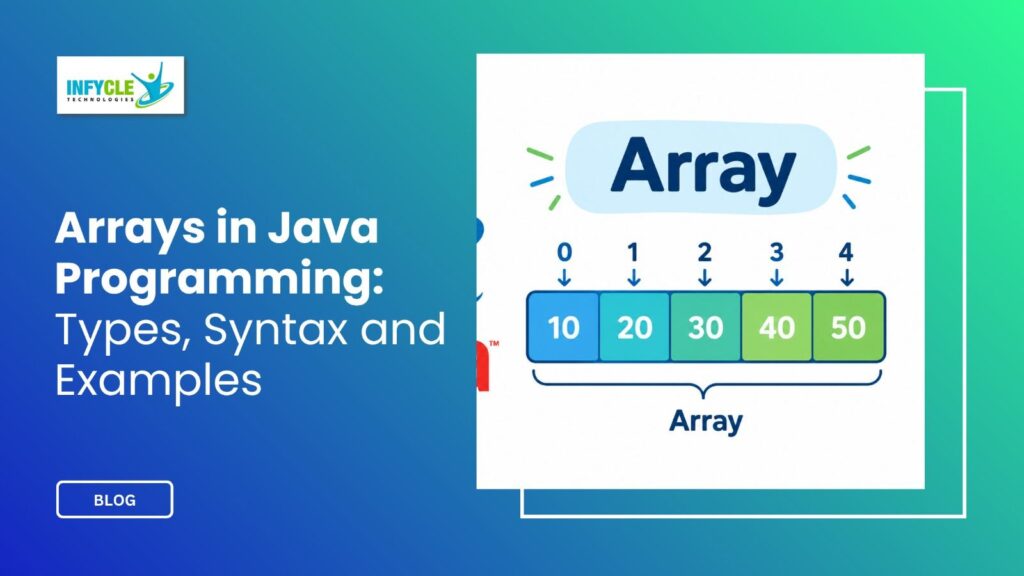
An array is a fixed-size data structure that stores multiple values of the same data type.
For example, you can store five student marks inside one integer array instead of creating five separate variables.
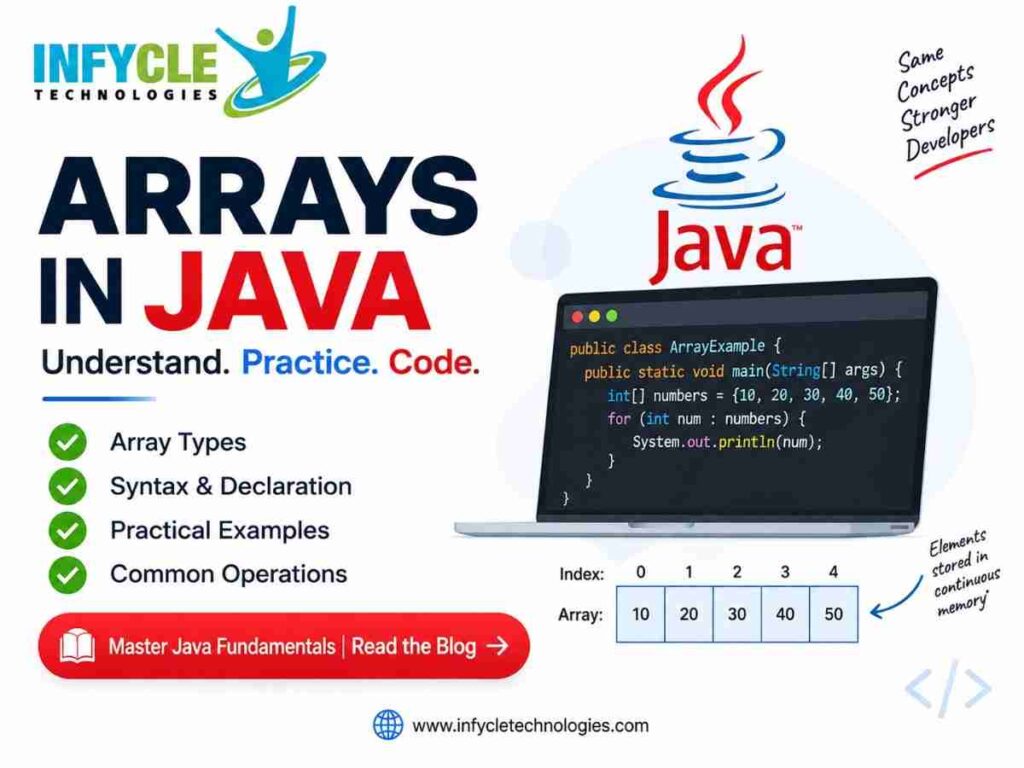
int[] marks = {85, 90, 78, 92, 88};Here, marks stores five integer values. Each value has a position called an index.
Importantly, Java array indexes start from 0. Therefore, the first value is available at index 0, while the last value is available at index length - 1.
System.out.println(marks[0]);
System.out.println(marks[4]);
The first statement prints 85. Similarly, the second statement prints 88.
Array Syntax
Java provides several ways to declare and initialize an array.
int[] numbers;The statement only declares the array reference. However, memory must still be allocated before storing values.
numbers = new int[5];You can also combine declaration and allocation.
int[] numbers = new int[5];Another common approach is direct initialization.
int[] numbers = {10, 20, 30, 40, 50};In simple terms, arrays are useful when you know the number of elements you need to store.
Why Choose an Array in Java Course in Chennai?
A strong understanding of arrays can help students build confidence in Java programming.
For instance, arrays appear in programs involving marks, employee records, product prices, search operations, and numerical calculations.
Furthermore, classroom practice can help learners understand concepts through coding rather than memorizing syntax.
A practical java Course in chennai can also connect programming concepts with exercises and small projects.
One-Dimensional Arrays
A one-dimensional array stores values in a single sequence.
int[] ages = {20, 21, 19, 22, 20};

for(int i = 0; i < ages.length; i++) {
    System.out.println(ages[i]);
}
The for loop visits every element using its index. Therefore, one-dimensional arrays are commonly used for lists of similar values.
Multidimensional Arrays
A multidimensional array stores data across multiple dimensions.
The most common example is a two-dimensional array.
int[][] matrix = {
    {1, 2, 3},
    {4, 5, 6}
};
Here, the array contains two rows and three columns.
For example, you can access the value 5 using:
System.out.println(matrix[1][1]);Multidimensional arrays are useful for tables, matrices, grids, and similar data structures.
Key Modules Covered in a Arrays in Java Course
A practical Java learning path should cover arrays along with related programming concepts.
Firstly, students should understand declaration, initialization, indexing, and traversal. Next, they can learn searching, sorting, copying, and comparing arrays.
For example, finding the largest number is a common beginner exercise.
int[] numbers = {12, 45, 7, 89, 23};

int largest = numbers[0];

for(int i = 1; i < numbers.length; i++) {
    if(numbers[i] > largest) {
        largest = numbers[i];
    }
}

System.out.println("Largest: " + largest);
This program starts with the first value as the largest. Then, it compares every remaining value against it.
Practical Tools You Master in Arrays in Java Training
Java learners commonly practice coding with tools such as JDK, IntelliJ IDEA, Eclipse, VS Code, Git, and GitHub.
Moreover, these tools help students write, test, debug, and manage Java programs.
You can also practice programs involving arrays, loops, methods, classes, objects, and exception handling.
Common Array Operations
Array operations are important because developers rarely create arrays just to store data.
For instance, you may need to search for a particular value.
int[] numbers = {10, 20, 30, 40, 50};

int search = 30;

for(int i = 0; i < numbers.length; i++) {
    if(numbers[i] == search) {
        System.out.println("Found at index: " + i);
    }
}
Sorting is another frequently used operation.
int[] numbers = {50, 20, 40, 10, 30};

Arrays.sort(numbers);
The Arrays utility class belongs to the java.util package.
import java.util.Arrays;After sorting, the values become:
10 20 30 40 50Similarly, developers can use utility methods for copying, comparing, filling, and converting arrays into strings.
Career Opportunities After Completing a Arrays in Java Course
Java skills can support several entry-level software development paths.
For example, learners can prepare for roles such as Java Developer, Junior Software Developer, Backend Developer, Application Support Engineer, and Software Engineer.
However, arrays alone do not qualify someone for these positions. Candidates should also learn OOP, exception handling, collections, SQL, JDBC, Spring Boot, REST APIs, and Git.
Therefore, a structured java training institute in chennai can be useful when the learning plan includes programming practice and project work.
Why Arrays Matter in Interviews
Interviewers often use array problems to test programming fundamentals.
Common questions include finding the largest element, reversing an array, removing duplicates, finding missing numbers, and sorting values.
In addition, candidates may need to explain time complexity and choose suitable algorithms.
Practising these problems regularly can improve logical thinking and coding confidence.
Self-Learning vs. Hands-on Training
| Learning Factor | Self-Learning | Hands-on Training at Infycle Technologies |
|---|---|---|
| Learning pace | Flexible | Structured |
| Instructor support | Limited | Trainer guidance |
| Coding practice | Self-managed | Guided exercises |
| Doubt clarification | Search-based | Direct discussion |
| Projects | Self-planned | Practice-oriented |
| Interview preparation | Individual | Guided preparation |
| Learning environment | Independent | Classroom or live sessions |
Self-learning can work well for learners who already have strong programming discipline.
On the other hand, hands-on training provides a structured environment for learners who want regular practice and guidance.
Want to strengthen your Java fundamentals with practical coding exercises? Arrays in Java is one of the core concepts covered while building a strong programming foundation at Infycle Technologies in Chennai.
You can explore training options, interact with trainers, and understand the learning path before choosing a program.
Frequently Asked Questions About Arrays in Java
What is an array in Java?
An array stores multiple values of the same data type using a single variable.
Why are arrays useful in Java?
Arrays make it easier to store and process groups of related values. For example, you can store marks, prices, IDs, or scores in one structure.
Can an array size change after creation?
No. Java arrays have a fixed size after creation. Therefore, developers can use collection classes such as ArrayList when dynamic sizing is required.
Are arrays important for Java interviews?
Yes, array-based coding questions are common in programming assessments. Furthermore, array problems help candidates practise loops, conditions, searching, sorting, and algorithmic thinking.
Conclusion
Arrays provide a simple way to store and process multiple values of the same type. Therefore, they are an important foundation for learning Java programming and data structures.
You should understand declaration, initialization, indexing, traversal, multidimensional arrays, searching, sorting, and common utility methods.
For learners planning a career in software development, these fundamentals can support more advanced topics such as Collections, JDBC, Spring Boot, and REST APIs.
If you are looking for structured java training in chennai, focus on programs that combine theory, coding exercises, projects, and interview preparation.
Ready to start your Java learning journey?
Connect with Infycle Technologies Chennai for free career counselling and a live demo session.
Understand the course structure, explore practical training options, and choose a learning path that matches your career goals.
Start learning. Build projects. Prepare for your IT career.