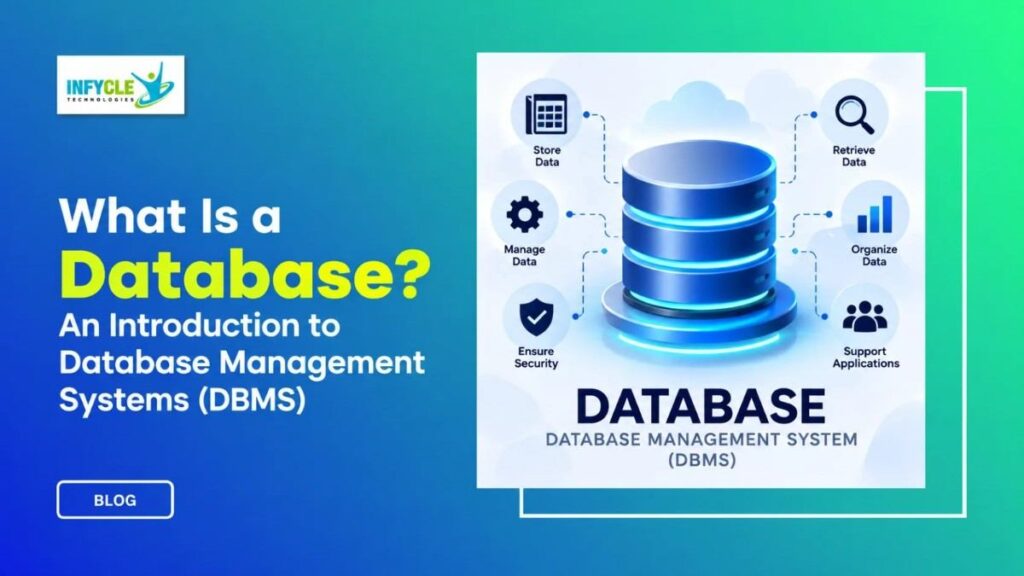
What Is a Database? An Introduction to Database Management Systems (DBMS)
Introduction
A Database stores and organizes information so that people and applications can access it efficiently. For students and beginners, understanding databases is an important step toward learning software development and information technology.
Moreover, databases support websites, banking systems, shopping platforms, business applications, and many other digital services. Therefore, learning basic database concepts can help students understand how applications manage information.
In Chennai, students, fresh graduates, and career changers can build database skills through practical learning. With the right guidance, beginners can progress from simple SQL queries to advanced database management concepts.
Table of Contents
- What is a Database?
- Why Choose a Database in Chennai?
- Key Modules Covered in a Database
- Practical Tools You Master in Database Training
- Self-Learning vs. Hands-on Training
- Career Opportunities After Completing a Database
- Frequently Asked Questions About Database
- Conclusion
- Final CTA
What is a Database?
A database is an organized collection of information that allows users to store, manage, update, and retrieve data.
For example, a college system may store student names, course details, marks, attendance, and contact information. Similarly, an online store may maintain product, customer, payment, and order records.
Instead of keeping information in separate files, databases provide a structured way to manage large amounts of data. As a result, applications can find and process information more efficiently.
How Does a Database Work?
A works by storing information in a structured format and providing ways to access that information.
For instance, a relational system stores information in tables containing rows and columns. Each row represents a record, while each column describes a particular field.
When a user searches for information, the application sends a request to the data base. Consequently, the system processes the request and returns the required information.
What Is DBMS?
A Data base Management System, or DBMS, is software that allows users to create, manage, and control databases.
Popular DBMS technologies include Oracle Data base, MySQL, PostgreSQL, Microsoft SQL Server, and SQLite. However, each platform can offer different features and capabilities.
A DBMS also provides tools for inserting, updating, deleting, and retrieving information. Furthermore, it can support security, access control, backup, and data consistency.
What Is the Difference Between Database and DBMS?
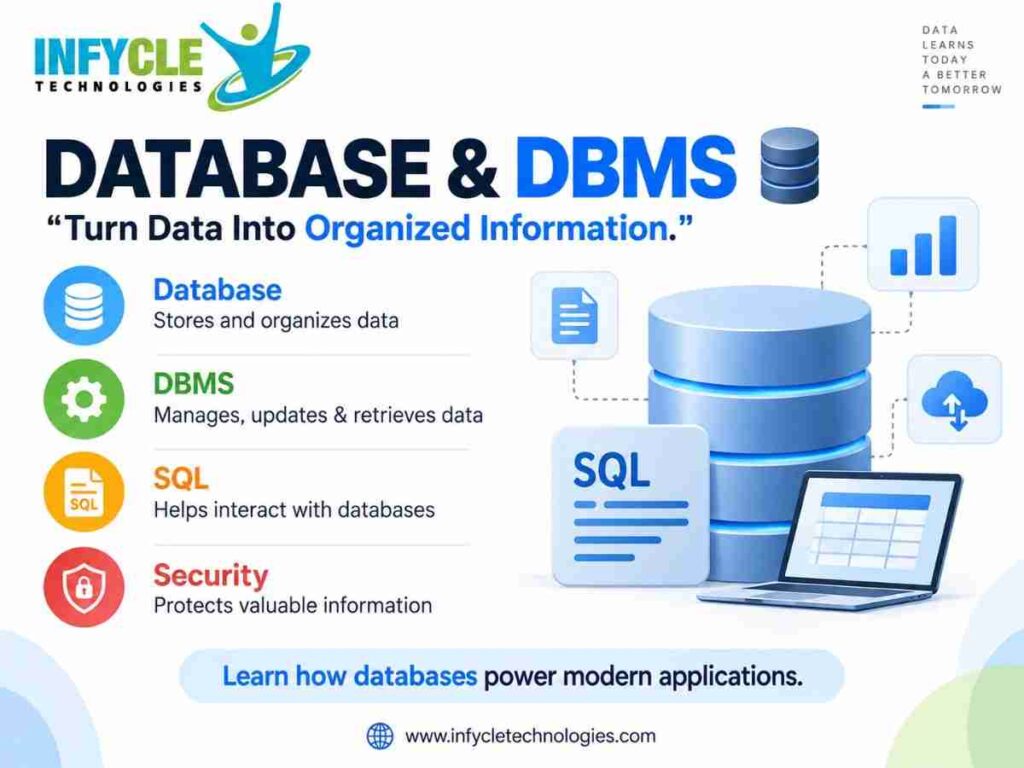
A data base is the organized collection of information, while a DBMS is the software used to manage that information.
Simply put, the data base contains the data, whereas the DBMS provides the tools for working with it. Therefore, both concepts are closely connected but have different roles.
Why Choose a Database in Chennai?
Learning data base concepts can provide a useful foundation for students interested in software and IT careers.
For college students, data base knowledge can support academic projects and application development. In addition, fresh graduates can use SQL and database skills when preparing for entry-level technical roles.
An Oracle course in Chennai can introduce learners to SQL, data base design, queries, tables, relationships, and data base administration concepts.
Moreover, practical exercises can help learners understand how theoretical concepts work in real applications. Instead of only reading SQL syntax, students can create tables, insert records, and retrieve information.
Career changers can also start with data base fundamentals before progressing toward Oracle-related technologies. As a result, they can build their technical knowledge step by step.
When choosing training, learners should consider practical sessions, trainer support, project exposure, and career guidance. These factors can create a more structured learning experience.
Key Modules Covered in a Database
A practical data base learning path usually starts with basic concepts and gradually moves toward SQL and data base management.
Database Fundamentals
Data base fundamentals explain tables, records, fields, relationships, and data organization. Therefore, beginners can understand how applications structure information.
SQL
SQL stands for Structured Query Language and is used to communicate with relational databases.
For example, a simple query can retrieve information from a table:
SELECT name, course
FROM students;
This query selects specific columns from the students table. Similarly, SQL supports operations such as inserting, updating, and deleting records.
Creating Tables
Tables provide a structured way to store related information.
CREATE TABLE students (
    id INT,
    name VARCHAR(100),
    course VARCHAR(100)
);
Here, the table contains an ID, student name, and course. Moreover, developers can define suitable data types for different fields.
Insert and Update Operations
SQL allows users to add new records to tables.
INSERT INTO students (id, name, course)
VALUES (1, 'Arun', 'Oracle');
Users can also modify existing information with an UPDATE statement. Therefore, learners should practice both commands to understand data management.
Filtering Data
The WHERE clause helps retrieve records that match a specific condition.
SELECT *
FROM students
WHERE course = 'Oracle';
As a result, users can find relevant records without displaying the entire table.
Joins
Joins combine information from multiple tables.
For instance, a student table may contain student details while another table stores course information. Using joins, SQL can connect related records between those tables.
Primary and Foreign Keys
Keys help maintain relationships between tables. A primary key uniquely identifies a record, while a foreign key connects one table with another.
Consequently, keys play an important role in maintaining organized relational data.
Database Security
Database security protects information from unauthorized access. Furthermore, permissions and user roles can control who can view or modify specific data.
Backup and Recovery
Backup processes create copies of important information. In addition, recovery procedures help restore data after unexpected problems.
Practical Tools You Master in Database Training
Practical data base learning becomes more effective when students work with real development and data base tools.
For example, Oracle SQL Developer provides an environment for working with Oracle databases. Similarly, MySQL Workbench supports data base development and administration tasks.
Common tools and technologies include:
- Oracle Data base
- SQL Developer
- MySQL
- MySQL Workbench
- PostgreSQL
- Microsoft SQL Server
- SQL
- Data base design tools
- Command-line utilities
Moreover, learners can practice creating tables, writing queries, managing records, and understanding relationships between tables.
Hands-on exercises also help students identify SQL errors and correct them. Therefore, regular practice can improve both technical understanding and problem-solving skills.
Self-Learning vs. Hands-on Training at Infycle Technologies
Both learning approaches can be useful, although they provide different experiences.
| Learning Area | Self-Learning | Hands-on Training at Infycle Technologies |
|---|---|---|
| Learning pace | Flexible | Structured |
| Trainer guidance | Limited | Available |
| SQL practice | Self-directed | Guided exercises |
| Error solving | Online research | Trainer support |
| Projects | Self-selected | Practical projects |
| Doubt clarification | Independent | Direct interaction |
| Interview preparation | Self-preparation | Career guidance |
| Learning consistency | Depends on learner | Scheduled learning |
Self-learning gives learners control over their schedule. On the other hand, hands-on training provides regular practice and direct support.
Additionally, guided exercises can help beginners understand why a query fails. As a result, learners can improve their SQL skills through repeated problem-solving.
Want to learn Database concepts through practical exercises?
Infycle Technologies provides Oracle-focused training with SQL practice, data base concepts, project exposure, and trainer guidance in Chennai. Moreover, learners can understand the course structure and career options before beginning their training.
Build your database skills through practical learning and take the next step toward your IT career.
Career Opportunities After Completing a Database
Database Developer
Database developers design tables, write SQL queries, and support applications that work with stored information. Therefore, strong SQL knowledge can provide a useful foundation for this role.
Database Administrator
Data base administrators manage database systems, security, performance, backups, and user access. However, this role usually requires deeper technical knowledge and practical experience.
SQL Developer
SQL developers create queries, procedures, functions, and database-related solutions. Furthermore, they may work closely with application development teams.
Oracle Professional
Oracle technologies are used across many enterprise environments. As a result, learners interested in Oracle can continue into specialized database and enterprise technology skills.
Application Developer
Application developers often work with databases when building software systems. For example, a web application may use a database to store customer accounts, products, orders, or other information.
For job seekers, practical projects can demonstrate database knowledge. In addition, projects involving student records, inventory management, employee data, or customer information can provide useful portfolio experience.
Frequently Asked Questions About Database
What is a Database used for?
A database stores and organizes information so applications and users can retrieve, update, and manage data efficiently.
What is DBMS?
DBMS stands for Database Management System. It is software that helps users create, manage, access, and control stored information.
Is SQL important for database careers?
Yes, SQL is an important skill for working with many relational database systems. Therefore, beginners should practice queries along with database fundamentals.
Can beginners learn Oracle and SQL?
Yes, beginners can start with SQL and basic database concepts before moving into Oracle-specific topics. Moreover, practical exercises can make the learning process easier to follow.
Conclusion
Understanding databases is an important foundation for students and beginners entering the IT field. The concepts include data organization, tables, SQL, relationships, keys, security, and database management.
Moreover, practical SQL exercises can improve problem-solving skills and help learners understand how applications handle information. Project work can also provide useful experience for fresh graduates and career changers.
For learners seeking structured technical training, Oracle Training in Chennai can provide a pathway to build SQL and database knowledge through guided practice.
Therefore, start with database fundamentals, practice SQL regularly, and gradually explore advanced Oracle technologies. With consistent learning, these skills can become part of a broader IT career path.
Ready to begin your database learning journey?
Connect with Infycle Technologies in Chennai for free career counseling and a live demo. Discuss your career goals, understand the training structure, and explore a practical learning path.