- Pingback: Arrays in C: Types, Examples and Uses
How to Download Node.js and NPM?
Introduction
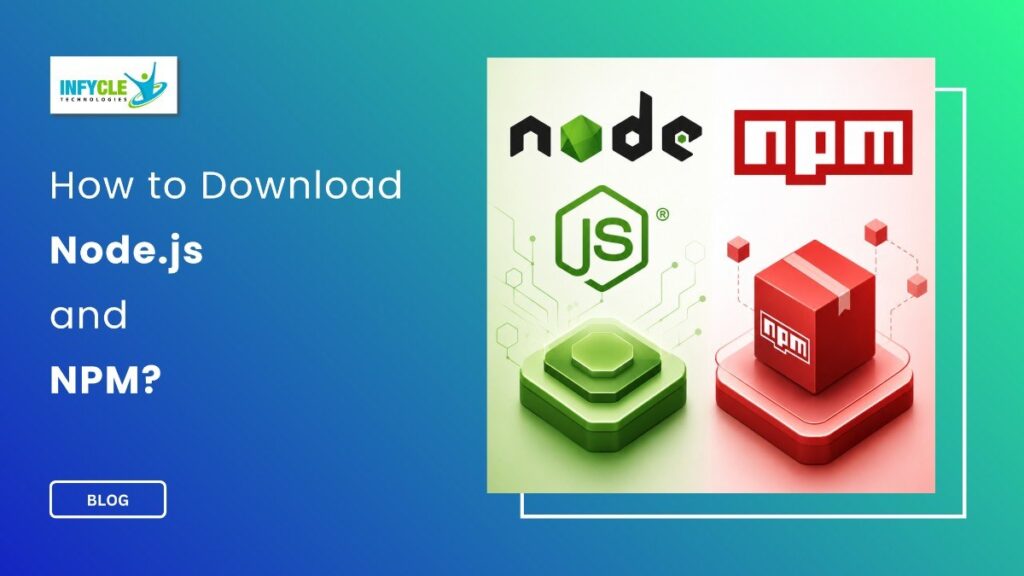
Node.js and NPM are essential tools for building modern web applications and Full Stack projects. Downloading Node.js and NPM is a simple first step for students who want to practise JavaScript beyond the browser.
Moreover, Node.js lets JavaScript run on your computer through a runtime environment. NPM helps you install and manage packages needed for development projects.
For students and fresh graduates in Chennai, learning these tools can make Full Stack practice more practical. Therefore, understanding the installation process helps you start projects with fewer setup issues.
This guide explains the process clearly, including installation, verification, common errors, and practical learning options.
Table of Contents
- What is Downloading Node.js and NPM?
- Why Choose a Downloading Node.js and NPM in Chennai?
- Key Modules Covered in a Downloading Node.js and NPM
- Practical Tools You Master in Downloading Node.js and NPM Training
- Career Opportunities After Completing a Downloading Node.js and NPM
- Self-Learning vs. Hands-on Training at Infycle Technologies
- Frequently Asked Questions About Downloading Node.js and NPM
- Conclusion
- Final CTA
What is Downloading Node.js and NPM?
Downloading Node.js and NPM means installing the Node.js runtime and its default package manager on your computer.
Node.js provides the environment required to execute JavaScript outside a web browser. Meanwhile, NPM gives developers access to thousands of reusable JavaScript packages.
First, visit the official Node.js website and choose the appropriate version for your operating system. Windows, macOS, and Linux users can select their respective installers.
For most learners, the LTS version is a practical choice because it offers long-term support and stability. However, developers who need the newest features can explore the Current version.
After downloading the installer, open it and follow the setup instructions. Generally, the default installation settings work well for beginners.
Furthermore, the installer usually adds Node.js and NPM to your system path automatically. This allows you to use both commands from Command Prompt, PowerShell, or a terminal.
Once installation finishes, open your terminal and check the Node.js version with node -v. Then, check NPM with npm -v.
For example, your terminal may display version numbers such as v22.x.x and 10.x.x. The exact versions can change as new releases become available.
Why Choose a Downloading Node.js and NPM in Chennai?
Learning these tools in Chennai can help students connect basic JavaScript knowledge with practical Full Stack development.
Many learners understand JavaScript syntax but struggle when they start working with real development environments. Therefore, setting up Node.js and NPM gives them an opportunity to practise project-based development.
For instance, students can create simple servers, install libraries, manage project dependencies, and work with modern JavaScript frameworks.
In addition, Node.js is commonly used alongside technologies such as Express.js, React, MongoDB, and REST APIs. These technologies form an important part of many Full Stack learning paths.
Students from Arts, Science, Commerce, and Engineering backgrounds can begin with basic concepts. Likewise, fresh graduates and career changers can gradually build practical development skills.
Chennai also has a strong training ecosystem for technology learners. Consequently, students can combine classroom learning with project practice and career guidance.
Key Modules Covered in a Downloading Node.js and NPM
A practical learning path should cover installation, command-line usage, project setup, package management, and basic Node.js development.
First, learners should understand the Node.js runtime and how it differs from JavaScript running inside a browser. This foundation makes later topics easier to understand.
Next, students can learn how NPM works with project folders and dependency files. The package.json file records important project information and package requirements.
Moreover, learners should practise commands such as npm init, npm install, npm uninstall, and npm update. These commands help developers manage dependencies during project development.
Another useful topic is the difference between local and global package installation. Local packages belong to a specific project, while global packages can support command-line tools.
Students should also learn about NPM scripts. These scripts can simplify repetitive development tasks, such as starting a server or running tests.
For example, a project can contain a start script that launches the application with a simple command. As a result, developers can follow a consistent workflow.
Practical Tools You Master in Downloading Node.js and NPM Training
Practical training should help learners use Node.js, NPM, Visual Studio Code, Git, and browser developer tools together.
Visual Studio Code provides an accessible environment for writing and managing project files. Meanwhile, the terminal helps learners execute Node.js and NPM commands directly.
Furthermore, Git helps developers track project changes and collaborate with other team members. Students can also practise creating repositories and managing development versions.
Node.js projects can then connect with APIs, databases, and frontend applications. This approach gives learners a clearer understanding of how different Full Stack components communicate.
Another important skill is troubleshooting. For instance, learners may encounter PATH errors, package conflicts, permission issues, or incorrect commands.
Instead of reinstalling everything immediately, students should learn to identify the actual cause. Therefore, command-line troubleshooting becomes an important practical skill.
Career Opportunities After Completing a Downloading Node.js and NPM
Learning Node.js and NPM can support several entry-level development roles when combined with broader Full Stack skills.
A learner can progress toward roles such as Junior Full Stack Developer, Node.js Developer, Backend Developer, or Web Developer. However, job readiness requires more than knowing installation commands.
Candidates should also understand HTML, CSS, JavaScript, databases, APIs, Git, and frontend frameworks. In addition, practical projects can help demonstrate these skills during interviews.
For example, a student can build a task manager, REST API, e-commerce backend, or simple authentication system. These projects provide evidence of practical development ability.
Furthermore, learners can use GitHub to showcase selected projects and coding practice. A well-organized portfolio can make technical skills easier for recruiters to evaluate.
Self-Learning vs. Hands-on Training at Infycle Technologies
| Area | Self-Learning | Hands-on Training at Infycle Technologies |
|---|---|---|
| Learning pace | Flexible | Structured |
| Practical tasks | Depends on learner | Guided project practice |
| Doubt clearing | Online resources | Trainer support |
| Project guidance | Mostly independent | Practical guidance |
| Learning path | Learner decides | Course-based structure |
| Career support | Self-managed | Guidance available |
Self-learning works well for disciplined learners who can consistently practise and solve problems independently. However, beginners may spend extra time searching for solutions when they face technical errors.
Hands-on training can reduce that learning gap through guided exercises and project work. Moreover, trainer feedback can help learners understand mistakes faster.
Mid-Article CTA
If you want structured Full Stack practice, Infycle Technologies offers training support for learners in Chennai.
Furthermore, students can strengthen their development foundation through practical exercises and guided learning. Explore the Full Stack Developer course in Chennai to understand the broader skills required for building web applications.
Frequently Asked Questions About Downloading Node.js and NPM
Is Node.js free to download?
Yes, Node.js is available as free and open-source software. Therefore, students can install it without purchasing a commercial license.
Is NPM included with Node.js?
Yes, NPM is normally included when you install Node.js. However, the bundled NPM version depends on the Node.js release you install.
How can I check whether Node.js is installed?
Open your terminal and run node -v. Similarly, run npm -v to check the installed NPM version.
Why should beginners learn Downloading Node.js and NPM?
Understanding the setup process helps beginners create and manage Node.js projects confidently. Moreover, it provides a useful foundation for learning backend and Full Stack development.
Conclusion
Installing Node.js and NPM is a straightforward process, but understanding the tools is more valuable than simply completing the installation.
First, choose a suitable Node.js version and install it using the official installer. Next, verify both commands through your terminal and practise creating a basic project.
Furthermore, learners should move beyond installation and explore packages, APIs, databases, Git, and frontend technologies. These skills can create a stronger foundation for professional development.
For students and job seekers, the Full Stack Developer course in Chennai can provide a structured path toward broader web development skills. With consistent practice and real projects, learners can gradually prepare for entry-level technology roles.
Final CTA
Ready to start your Full Stack learning journey?
Connect with Infycle Technologies in Chennai for free career counselling and a live demo. Discuss your goals, understand the course structure, and choose a practical learning path based on your career interests.
Also, explore Full Stack Developer training in Chennai and learn how structured practical training can support your development journey.
Infycle Technologies aims to help learners build practical skills with guidance from trainers and project-based learning opportunities.