Java Strings: String Functions in Java With Example Programs
Introduction
String Functions in Java help developers perform common operations such as finding the length of a string, comparing text, searching for characters, extracting parts of a string, changing case, replacing text, and splitting strings. The Java String class is immutable, which means a String object cannot be changed after it is created; operations that appear to modify a string return a new String instead.
For beginners preparing for software development jobs, understanding these methods is important because string manipulation appears frequently in coding exercises, application development, data processing, and technical interviews. This guide explains the most useful Java String methods with simple examples and practical explanations.
Table of Contents
- Introduction
- What Are String Functions in Java?
- Why Are String Functions in Java Important?
- Common String Functions in Java
- Java String Functions With Examples
- Complete Java String Example Program
- String Functions in Java vs StringBuilder
- Common Mistakes When Using String Functions in Java
- How to Learn String Functions in Java Effectively
- Frequently Asked Questions
- Conclusion
What Are String Functions in Java?
A String is a sequence of characters represented by the java.lang.String class. For example:
String name = "Siva";Here, "Siva" is a String literal. Java provides special support for String literals and offers many methods through the String class for examining, comparing, searching, and manipulating text.
One important feature is immutability. When you call a method such as toUpperCase() or replace(), the original String is not changed. Instead, the method returns a new String containing the result.
Why Are String Functions in Java Important?
String methods are useful whenever a Java application needs to process text.
For example, a login application may use String methods to compare usernames, while an e-commerce application may search product names or replace unwanted characters.
Common uses include:
- Validating user input
- Comparing usernames and passwords
- Searching text
- Extracting names or codes
- Formatting information
- Converting text to uppercase or lowercase
- Splitting sentences into words
- Replacing unwanted characters
- Processing data received from forms or APIs
Learning these methods also helps beginners solve common Java coding problems more efficiently.
Common String Functions in Java
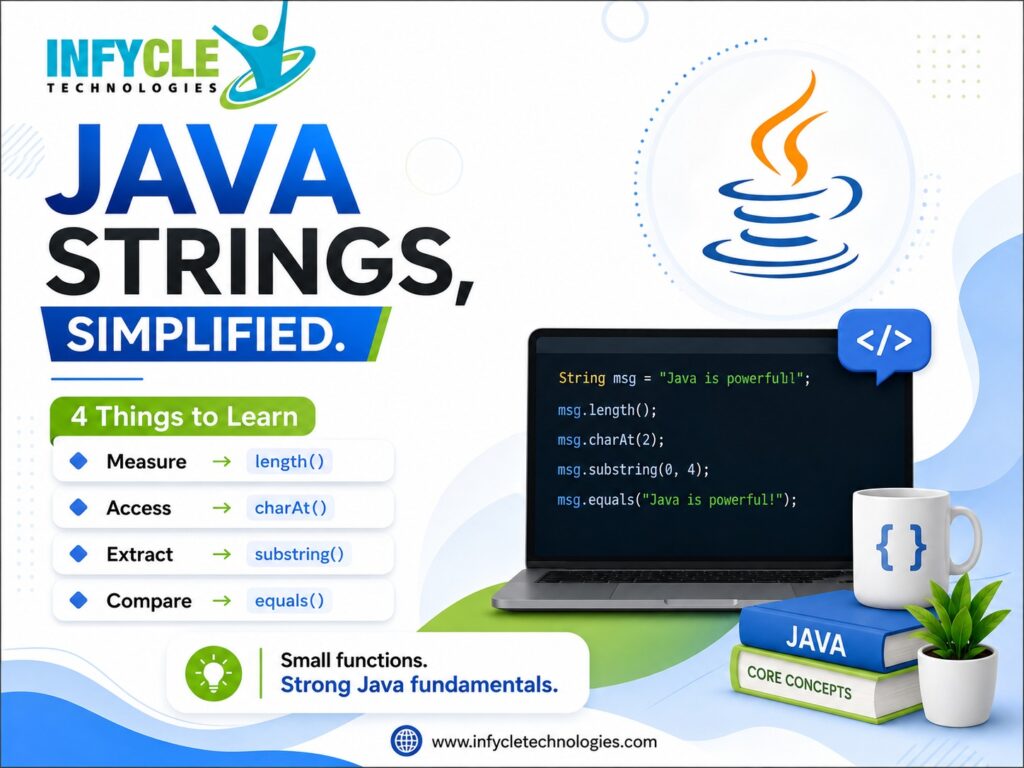
The String class provides many methods. The following are among the most useful for beginners and developers.
| Method | Purpose | Example |
|---|---|---|
length() | Finds string length | str.length() |
charAt() | Gets a character at an index | str.charAt(0) |
equals() | Compares String contents | str1.equals(str2) |
equalsIgnoreCase() | Compares without case sensitivity | str1.equalsIgnoreCase(str2) |
toUpperCase() | Converts text to uppercase | str.toUpperCase() |
toLowerCase() | Converts text to lowercase | str.toLowerCase() |
contains() | Checks whether text exists | str.contains("Java") |
indexOf() | Finds a character or substring position | str.indexOf("a") |
substring() | Extracts part of a String | str.substring(2, 5) |
replace() | Replaces characters or text | str.replace("Java", "Python") |
trim() | Removes leading and trailing whitespace | str.trim() |
split() | Divides a String using a pattern | str.split(" ") |
concat() | Joins Strings | str1.concat(str2) |
The official Java API documents these methods as part of the String class.
String Functions in Java With Examples
1. length()
The length() method returns the number of characters in a String.
String name = "Java";
System.out.println(name.length());
Output:
4It is useful when checking the size of text or validating input length.
2. charAt()
The charAt() method returns the character at a specified index.
String language = "Java";

System.out.println(language.charAt(0));
System.out.println(language.charAt(2));
Output:
J
v
Java String indexes start at 0, so the first character is at index 0.
3. equals()
Use equals() when you want to compare the contents of two Strings.
String a = "Java";
String b = "Java";

System.out.println(a.equals(b));
Output:
trueFor String content comparison, equals() is generally the appropriate method rather than using ==.
4. equalsIgnoreCase()
This method compares two Strings while ignoring differences in uppercase and lowercase letters.
String a = "JAVA";
String b = "java";

System.out.println(a.equalsIgnoreCase(b));
Output:
trueThis can be useful when user input should be treated without case sensitivity.
5. toUpperCase()
This method returns a new String converted to uppercase.
String name = "java";

System.out.println(name.toUpperCase());
Output:
JAVA6. toLowerCase()
This method converts characters to lowercase.
String name = "JAVA";

System.out.println(name.toLowerCase());
Output:
java7. contains()
The contains() method checks whether a particular sequence exists within the String.
String message = "Learn Java Programming";

System.out.println(message.contains("Java"));
Output:
trueThis is useful for simple text searches.
8. indexOf()
The indexOf() method returns the position of the first occurrence of a character or substring.
String text = "Java Programming";

System.out.println(text.indexOf("Programming"));
The returned index indicates where the specified text begins. The official API also provides overloaded versions for searching from a specified starting position.
9. substring()
The substring() method extracts part of a String.
String text = "Java Programming";

System.out.println(text.substring(5));
Output:
ProgrammingYou can also specify both the beginning and ending indexes:
System.out.println(text.substring(0, 4));Output:
JavaThe beginning index is inclusive, while the ending index is exclusive.
10. replace()
The replace() method creates a String with matching characters or literal character sequences replaced.
String text = "I like Java";

String result = text.replace("Java", "Python");

System.out.println(result);
Output:
I like PythonJava also provides replaceAll() and replaceFirst() for regular-expression-based replacement.
11. trim()
The trim() method removes leading and trailing whitespace covered by its defined behavior.
String name = "   Java   ";

System.out.println(name.trim());
Output:
JavaThis can be useful when processing user-entered text.
12. split()
The split() method divides a String around matches of a specified regular expression.
String languages = "Java Python SQL";

String[] result = languages.split(" ");

for (String language : result) {
    System.out.println(language);
}
Output:
Java
Python
SQL
It is particularly useful when processing text separated by spaces, commas, or other delimiters.
Complete Java String Example Program
The following program demonstrates several String functions together:
public class StringExample {

    public static void main(String[] args) {

        String text = "  Java Programming  ";

        System.out.println("Original: " + text);
        System.out.println("Length: " + text.length());
        System.out.println("Uppercase: " + text.toUpperCase());
        System.out.println("Lowercase: " + text.toLowerCase());
        System.out.println("Contains Java: " + text.contains("Java"));
        System.out.println("Trimmed: " + text.trim());
        System.out.println("Substring: " + text.substring(2, 6));
        System.out.println("Replace: " + text.replace("Java", "Python"));
    }
}
This small program gives beginners a practical way to understand how multiple String methods work together.
String Functions in Java vs StringBuilder
A common question among Java beginners is whether they should always use String.
A String is immutable. If an application repeatedly builds or changes text, StringBuilder can be more appropriate because it provides mutable character sequences and methods such as append() and reverse(). Oracle’s Java documentation also identifies StringBuilder as a useful option for working with changeable text.
For example:
StringBuilder builder = new StringBuilder();

builder.append("Java");
builder.append(" Programming");

System.out.println(builder);
Output:
Java ProgrammingFor simple text values, String is usually the natural choice. For repeated modifications, learn when StringBuilder is more suitable.
Common Mistakes When Using String Functions in Java
Beginners often make a few simple mistakes when working with Strings.
Using == Instead of equals()
== and equals() do different jobs. When you want to compare String contents, use equals().
Forgetting That Strings Are Immutable
Calling:
name.toUpperCase();does not change name.
If you need the returned value:
name = name.toUpperCase();Using Invalid Indexes
This can cause an IndexOutOfBoundsException:
String text = "Java";
System.out.println(text.charAt(10));
Always make sure the index is within the valid range.
Ignoring Null Values
Calling a method on a null reference can result in a NullPointerException. Validate or handle potentially null values before calling String methods.
How to Learn String Functions in Java Effectively
If you are preparing for Java development, do not learn String methods only by memorizing definitions.
Try each method with a small program. Then combine several methods into practical exercises.
For example, build a program that:
- Accepts a user’s name.
- Removes unnecessary spaces.
- Converts the name to a consistent case.
- Counts the characters.
- Searches for a particular letter.
- Displays part of the name.
Once these basics are comfortable, move to arrays, collections, exception handling, OOP, JDBC, APIs and frameworks such as Spring Boot.
A structured Java Course in Chennai can also help beginners follow this progression through exercises and projects rather than studying methods individually.
Mid-Article Learning CTA
If your goal is to become a Java developer, practice every concept with code. Look for a learning program that includes Java fundamentals, OOP, SQL, Git, projects and interview preparation. Practical work will help you understand when and why each String method should be used.
Frequently Asked Questions
1. What are String Functions in Java?
String Functions in Java are methods provided by the String class for working with text. Common examples include length(), charAt(), equals(), contains(), substring(), replace(), split(), toUpperCase() and toLowerCase(). These methods help developers search, compare, extract and transform String data.
2. Is String mutable or immutable in Java?
Java Strings are immutable. Once a String object is created, its value cannot be changed. Methods that appear to modify a String, such as replace() or toUpperCase(), return a new String containing the result rather than changing the original object.
3. What is the difference between == and equals() in Java?
equals() is used to compare the contents of String objects, while == checks whether two references refer to the same object. When your requirement is to determine whether two Strings contain the same text, equals() is normally the correct choice.
4. Which String methods should Java beginners learn first?
Start with length(), charAt(), equals(), equalsIgnoreCase(), contains(), indexOf(), substring(), replace(), trim(), split(), toUpperCase() and toLowerCase(). These cover many common text-processing tasks and provide a strong foundation for coding exercises.
5. Should I learn StringBuilder after String?
Yes. Learn String first because it is fundamental to Java programming. Once you understand String immutability, learn StringBuilder for situations where text needs to be changed repeatedly. It provides mutable operations such as append() and reverse().
Conclusion
Java Strings are used in almost every type of application that processes text. Understanding String Functions in Java gives beginners a strong foundation for writing programs that compare, search, extract, format and transform text.
Start with frequently used methods such as length(), equals(), charAt(), contains(), substring(), replace() and split(). Then practice combining them in small programs before moving to advanced Java concepts.
If you are planning a Java development career, look for Java Training in Chennai that combines programming fundamentals with OOP, SQL, projects and interview preparation. Consistent hands-on practice is more valuable than simply memorizing String methods.
Final CTA
Want to build job-ready Java skills? Choose a practical learning path that starts with Java fundamentals and gradually moves into application development, databases, frameworks, and real-world projects. A Best Software Training Institute in Chennai should help you practice concepts through projects and prepare for technical interviews.