How to Build Your First E-Commerce Website Using Full Stack Development
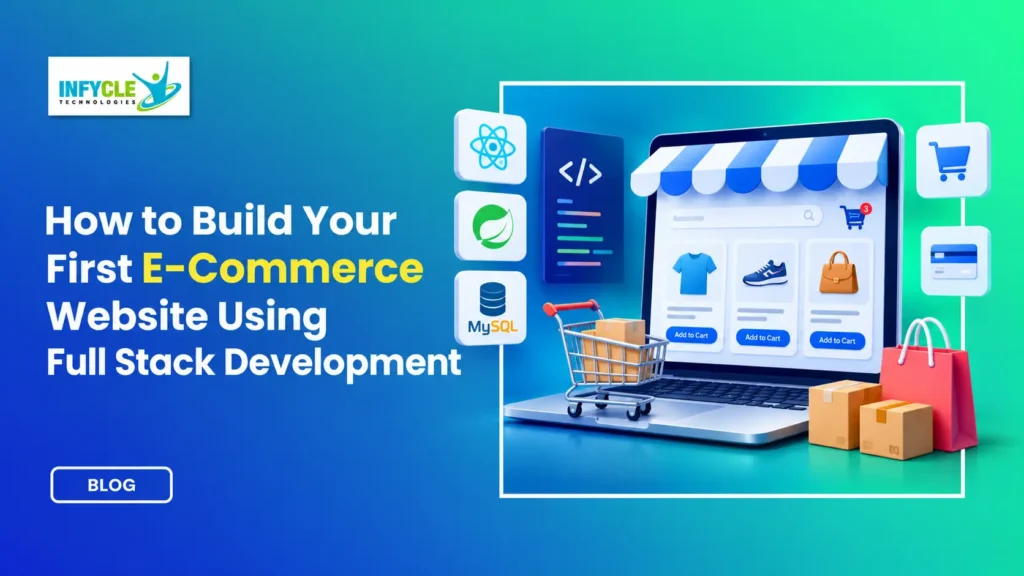
Building an E-Commerce Website Using Full Stack development skills is a practical way to start your coding journey. Instead of learning programming concepts alone, you can build an online store that demonstrates your technical abilities.
An e-commerce website combines several important features. Customers browse products, add items to their carts, create accounts, and place orders. Meanwhile, the website manages product details, user information, and order records behind the scenes.
You do not need years of coding experience to build your first project. First, understand how websites work. Next, learn frontend and backend development. Then, connect your application to a database.
For students and fresh graduates in Chennai, this project offers more than coding practice. It also helps you create a portfolio that you can discuss during technical interviews.
Moreover, structured learning can make the process easier. A practical Full Stack Developer course in Chennai can help beginners understand development concepts through guided exercises and real projects.
Let’s explore how to turn your first online store idea into a working application.
Table of Contents
- What Is a Full Stack E-Commerce Website?
- Which Technologies Do You Need?
- How Do You Plan Your First Online Store?
- How Do You Build an E-Commerce Website Using Full Stack Technologies?
- How Can You Create the Frontend?
- How Do You Build the Backend of Your Full Stack E-Commerce Website?
- How Do You Connect Your Database?
- How Can You Add a Shopping Cart?
- How Do You Secure an E-Commerce Website Using Full Stack Development?
- How Can You Test and Deploy Your Website?
- Which Beginner Mistakes Should You Avoid?
- How Does an E-Commerce Website Using Full Stack Skills Help Your Career?
- Self-Learning vs. Structured Training
- Frequently Asked Questions
- Conclusion
What Is a Full Stack E-Commerce Website?
A full stack e-commerce website is an online shopping application with a frontend, backend, and database.
Each part handles a different responsibility. Together, these components create a complete shopping experience.
The three main layers are:
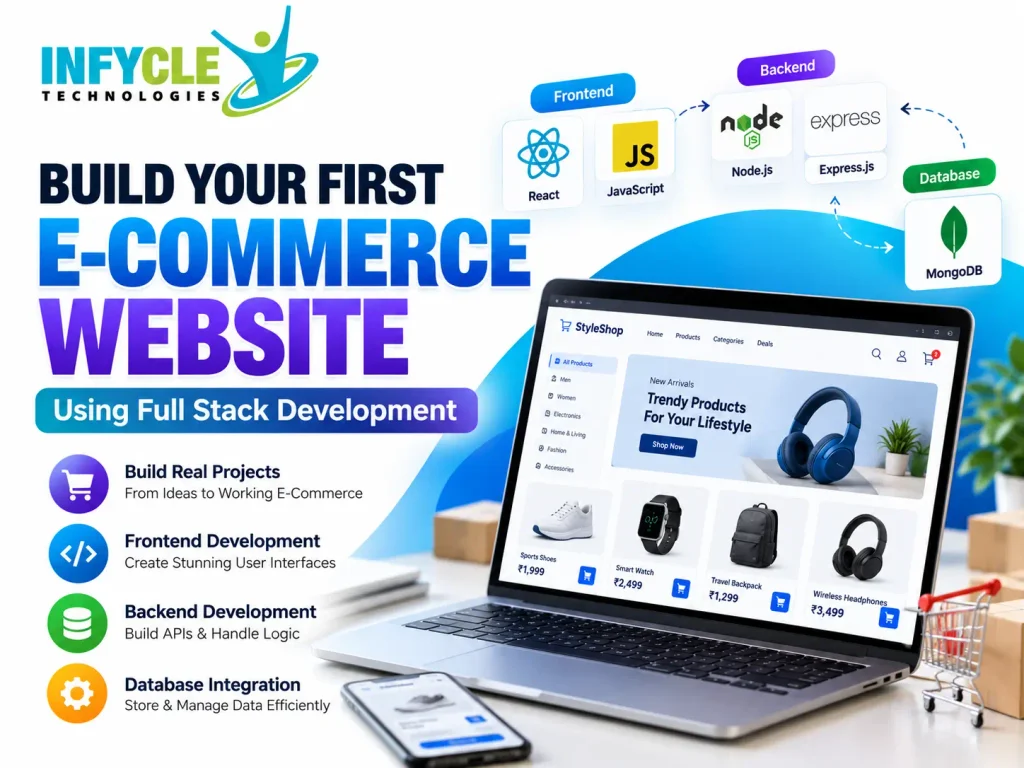
- Frontend: Displays products, buttons, menus, and shopping pages.
- Backend: Processes requests, manages users, and handles orders.
- Database: Stores product information, customer details, and order records.
For example, imagine a customer purchasing headphones.
First, the frontend displays the product. Next, the backend checks the requested item. Then, the database supplies the relevant information.
As a result, customers can browse and purchase products through one connected application.
Which Technologies Do You Need?
You need frontend tools, a backend framework, and a database to build your first online store.
For beginners, the MERN stack offers one practical learning path.
| Development Area | Technology | Purpose |
|---|---|---|
| Page structure | HTML | Organises website content |
| Website styling | CSS | Creates layouts and designs |
| Interactivity | JavaScript | Handles user actions |
| Frontend framework | React | Builds reusable interfaces |
| Backend runtime | Node.js | Runs server-side JavaScript |
| Backend framework | Express.js | Creates routes and APIs |
| Database | MongoDB | Stores application data |
| Version control | Git and GitHub | Tracks and shares code |
However, MERN is not your only option. You can also use Python with Django or Java with Spring Boot.
For your first project, choose one stack. Consequently, you can focus on understanding the development process instead of switching between technologies.
How Do You Plan Your First Online Store?
Start by defining a small set of features before writing code.
A beginner project does not need every feature found on a major shopping platform. Instead, create a simple store with a clear purpose.
For instance, imagine an online bookstore called BookCart.
Your first version could include:
- Home page
- Product listing page
- Individual product details
- Shopping cart
- User registration and login
- Order summary
- Basic admin product management
Next, sketch how customers will move between pages.
Example customer journey:
Home Page → Product Listing → Product Details → Add to Cart → Checkout → Order Confirmation
Additionally, create a simple folder structure.
bookcart/
├── client/
│   ├── src/
│   │   ├── components/
│   │   ├── pages/
│   │   └── App.jsx
│
├── server/
│   ├── models/
│   ├── routes/
│   ├── controllers/
│   └── server.js
│
└── README.md
This structure separates your frontend and backend. Therefore, you can manage files more easily as your project grows.
How Do You Build an E-Commerce Website Using Full Stack Technologies?
Build an e-commerce website using full stack technologies by developing its interface, APIs, database, and shopping features in stages.
Follow this beginner-friendly roadmap:
1: Create the project folders.
2: Design your homepage and product cards.
3: Build backend API routes.
4: Connect your application to a database.
5: Add cart functionality.
6: Implement user authentication.
7: Test your website.
8: Deploy the completed application.
Importantly, complete one feature before starting another.
For example, display products successfully before developing the checkout process. This approach makes debugging easier and helps you understand each component.
How Can You Create the Frontend?
Create the frontend with React, HTML, CSS, and JavaScript to display products and handle customer interactions.
First, install Node.js and create a React project using Vite.
npm create vite@latest client -- --template react
cd client
npm install
npm run dev
Next, create a reusable product card.
function ProductCard({ product }) {
  return (
    <div className="product-card">
      <img src={product.image} alt={product.name} />

      <h3>{product.name}</h3>

      <p>₹{product.price}</p>

      <button type="button">
        Add to Cart
      </button>
    </div>
  );
}

export default ProductCard;
This component displays product information. However, its button still needs a click handler to update the shopping cart.
You can add that functionality after connecting your application state.
Furthermore, create separate components for navigation, product listings, cart summaries, and the footer.
As a result, your code becomes easier to maintain.
How Do You Build the Backend of Your Full Stack E-Commerce Website?
Build the backend using Node.js and Express to handle product requests, customer accounts, and order operations.
First, create a server folder.
Then, install the required packages.
mkdir server
cd server
npm init -y
npm install express cors dotenv
Next, create a basic server.
const express = require("express");
const cors = require("cors");

const app = express();

app.use(cors());
app.use(express.json());

app.get("/api/products", (req, res) => {
  res.json([
    {
      id: 1,
      name: "Wireless Headphones",
      price: 1499
    },
    {
      id: 2,
      name: "Bluetooth Speaker",
      price: 999
    }
  ]);
});

app.listen(5000, () => {
  console.log("Server running on port 5000");
});
Now, your backend can return sample product data.
For example, visiting /api/products sends a JSON response.
However, this example uses temporary data. In the next stage, you will replace it with database records.
How Do You Connect Your Database?
Connect MongoDB to your backend so your application can store and retrieve product information.
First, install Mongoose.
npm install mongooseNext, create a database connection using an environment variable.
const mongoose = require("mongoose");

mongoose.connect(process.env.MONGO_URI)
  .then(() => {
    console.log("Database connected");
  })
  .catch((error) => {
    console.error("Database error:", error);
  });
Then, create a product model.
const mongoose = require("mongoose");

const productSchema = new mongoose.Schema({
  name: {
    type: String,
    required: true
  },
  price: {
    type: Number,
    required: true,
    min: 0
  },
  image: String,
  description: String
});

module.exports = mongoose.model(
  "Product",
  productSchema
);
This model defines the structure of each product.
Additionally, you can create separate models for users, carts, and orders.
Important: Keep your database connection string inside a .env file. Never publish credentials on GitHub.
How Can You Add a Shopping Cart?
You can add a shopping cart by storing selected products and their quantities in application state.
For a beginner React project, the useState hook provides a simple starting point.
import { useState } from "react";

function ShoppingCart() {
  const [cart, setCart] = useState([]);

  function addToCart(product) {
    setCart((currentCart) => {
      const existing = currentCart.find(
        (item) => item.id === product.id
      );

      if (existing) {
        return currentCart.map((item) =>
          item.id === product.id
            ? { ...item, quantity: item.quantity + 1 }
            : item
        );
      }

      return [
        ...currentCart,
        { ...product, quantity: 1 }
      ];
    });
  }

  return (
    <div>
      <h2>Shopping Cart</h2>
      <p>Unique products: {cart.length}</p>
      {/* Pass addToCart to your product components. */}
    </div>
  );
}
Next, connect addToCart to your product buttons.
Also, calculate the cart total using product prices and quantities.
However, do not trust frontend prices when processing real orders. Your backend should retrieve current prices and calculate the final amount.
Consequently, customers cannot change the payable total simply by modifying browser data.
Build Your First Real Project with Infycle Technologies
Watching tutorials helps you understand concepts. However, building a complete application helps you apply them.
At Infycle Technologies, learners can explore practical development concepts through structured training and project-based exercises.
If you are searching for Full Stack Developer training in Chennai, consider a learning path that covers frontend development, backend programming, databases, and interview preparation.
How Do You Secure an E-Commerce Website Using Full Stack Development?
Secure an e-commerce website using full stack development by protecting accounts, validating requests, and keeping sensitive information away from the frontend.
Security matters even when you build a small learning project.
Start with these essential practices:
- Hash passwords using a suitable password-hashing library.
- Validate user input on the backend.
- Restrict admin routes through proper authorisation.
- Store secrets in environment variables.
- Use HTTPS for deployed applications.
- Avoid exposing customer information in API responses.
- Calculate product prices and order totals on the server.
Furthermore, never store raw payment card details in your own database.
For a real payment feature, use a trusted payment provider and follow its official integration guidance.
Initially, beginners can create a simulated checkout page without collecting real payments. This allows you to practise order management safely.
How Can You Test and Deploy Your Website?
Test each important customer action before publishing your application.
First, verify that the frontend displays products correctly. Next, check whether your APIs return the expected responses.
Use this checklist:
| Feature | What Should You Test? |
|---|---|
| Product listing | Do all products display correctly? |
| Product details | Does each item show accurate information? |
| Shopping cart | Can users add and remove products? |
| Authentication | Can users register and log in securely? |
| Orders | Does the backend validate order details? |
| Responsive design | Does the layout work on mobile devices? |
| Error handling | Are failures explained clearly? |
Additionally, test invalid inputs and failed requests.
Once the application works locally, deploy it using suitable frontend and backend hosting services.
For example, you can explore Vercel for the frontend and a compatible Node.js hosting platform for your API. MongoDB Atlas offers managed database hosting.
Finally, add screenshots, setup instructions, and a project description to your GitHub repository.
Which Beginner Mistakes Should You Avoid?
Avoid building too many features at once, copying code without understanding it, and ignoring testing.
These mistakes often make beginner projects harder than necessary.
Common mistakes and practical solutions:
| Common Mistake | Better Approach |
|---|---|
| Starting with a complex marketplace | Build a small product store first |
| Copying code without testing | Run and understand each feature |
| Mixing frontend and backend logic | Separate components and API routes |
| Ignoring mobile users | Test responsive layouts early |
| Saving passwords as plain text | Use secure password hashing |
| Skipping GitHub | Commit your progress regularly |
| Building checkout before product pages | Follow a clear development sequence |
Moreover, do not worry about making your first project perfect.
Instead, aim to complete a working version. You can improve its design, performance, and features later.
How Does an E-Commerce Website Using Full Stack Skills Help Your Career?
An e-commerce website using full stack skills helps you demonstrate frontend, backend, database, and problem-solving abilities through one portfolio project.
Recruiters can review your application instead of relying only on your course certificate.
For instance, your project can demonstrate your ability to:
- Design responsive interfaces.
- Create reusable React components.
- Develop REST APIs.
- Connect a database.
- Manage application state.
- Implement authentication.
- Debug technical issues.
- Deploy and document an application.
Furthermore, this experience gives you practical examples for technical interviews.
When an interviewer asks about your project, explain the problem, your technology choices, and the challenges you solved.
How Should You Present Your Full Stack E-Commerce Website During Interviews?
Present your full stack e-commerce website by explaining its purpose, architecture, key features, and your individual contribution.
Start with a short project summary. Next, explain how the frontend communicates with the backend.
Then, demonstrate your product listing, cart, and order workflow.
For example, you could say:
“I developed a beginner e-commerce application using React, Node.js, Express, and MongoDB. It includes product listings, cart management, and backend APIs. This project helped me understand how frontend and backend components work together.”
Finally, discuss one technical challenge and explain how you resolved it.
Is Self-Learning or Structured Training Better?
Both methods can help you learn full stack development, but structured training provides a guided learning path.
Self-learning offers flexibility. However, beginners may struggle when choosing technologies or debugging unfamiliar errors.
Practical Comparison: Self-Learning vs. Structured Training
| Learning Factor | Self-Learning | Structured Training |
|---|---|---|
| Learning schedule | Fully flexible | Planned sessions |
| Topic selection | Learner decides | Guided curriculum |
| Doubt clarification | Online research | Trainer guidance |
| Project development | Independent | Guided practice |
| Progress tracking | Self-managed | Structured milestones |
| Interview preparation | Requires separate planning | May form part of training |
| Learning cost | Can use free resources | Depends on programme fees |
Ultimately, your results depend on consistent practice.
A good learning programme should help you understand concepts, write code independently, and complete meaningful projects.
If you are comparing institutes, examine the syllabus, trainer experience, practical assignments, and support offered.
Frequently Asked Questions
1. Can beginners build an E-Commerce Website Using Full Stack development?
Yes. Beginners can start with a simple online store featuring product listings and a shopping cart. First, learn HTML, CSS, and JavaScript. Then, explore backend development and databases. Build one feature at a time to strengthen your practical understanding.
2. Which full stack technology is best for an e-commerce project?
The MERN stack is a practical beginner option because it uses JavaScript across the frontend and backend. However, Python with Django and Java with Spring Boot are also suitable. Choose a technology stack based on your learning goals.
3. How long does it take to build a beginner e-commerce website?
A basic learning project may take several weeks, depending on your experience and daily practice. Start with product listings and cart features. Next, add database connectivity and authentication. More advanced features, testing, and deployment will require additional time.
4. Do I need coding experience to join a full stack development course?
Not necessarily. Many beginners start by learning programming fundamentals, HTML, CSS, and JavaScript. However, course prerequisites vary. Before enrolling, check whether the programme covers beginner concepts, practical exercises, project development, and the technologies you want to learn.
5. Can an e-commerce project help me get a full stack developer job?
A completed e-commerce project can strengthen your portfolio and support interview discussions. It demonstrates practical development skills. However, one project does not guarantee employment. Continue practising programming, databases, debugging, Git, and technical interview questions to improve your preparation.
Conclusion: Ready to Build Your First Full Stack Project?
Building your first online store helps you connect programming concepts with practical development tasks.
First, create the frontend. Next, develop your backend APIs. Then, connect a database and implement shopping features.
Along the way, you will understand how real applications handle products, users, and orders.
Moreover, a completed project gives you useful material for your portfolio and technical interviews.
If you want guided learning, exploring a Full Stack Developer course in Chennai can help you build a structured foundation.