Python print Function: How to Use the print() Function in Python
Introduction
The Python print function is one of the first Python features beginners learn for displaying information. Therefore, understanding print() gives new programmers a simple way to test code and view results.
For college students and fresh graduates, small Python concepts can create a strong programming foundation. Moreover, learners in Chennai can combine Python basics with practical exercises to prepare for software development roles.
The print() function looks simple, but it supports several useful options. For example, developers can control spacing, line endings, output destinations, and displayed values.
This guide explains its syntax, parameters, examples, common mistakes, and practical uses.
Table of Contents
- What is python print function?
- Why Choose a python print function in Chennai?
- Key Modules Covered in a python print function
- Practical Tools You Master in python print function Training
- Career Opportunities After Completing a python print function
- Self-Learning vs. Hands-on Training at Infycle Technologies
- Frequently Asked Questions About python print function
- Conclusion
- Final CTA
What is python print function?
The python print function displays text, numbers, variables, and other values in the Python console.
In simple terms, print() sends information to the standard output. Therefore, beginners can use it to check whether their code produces the expected result.
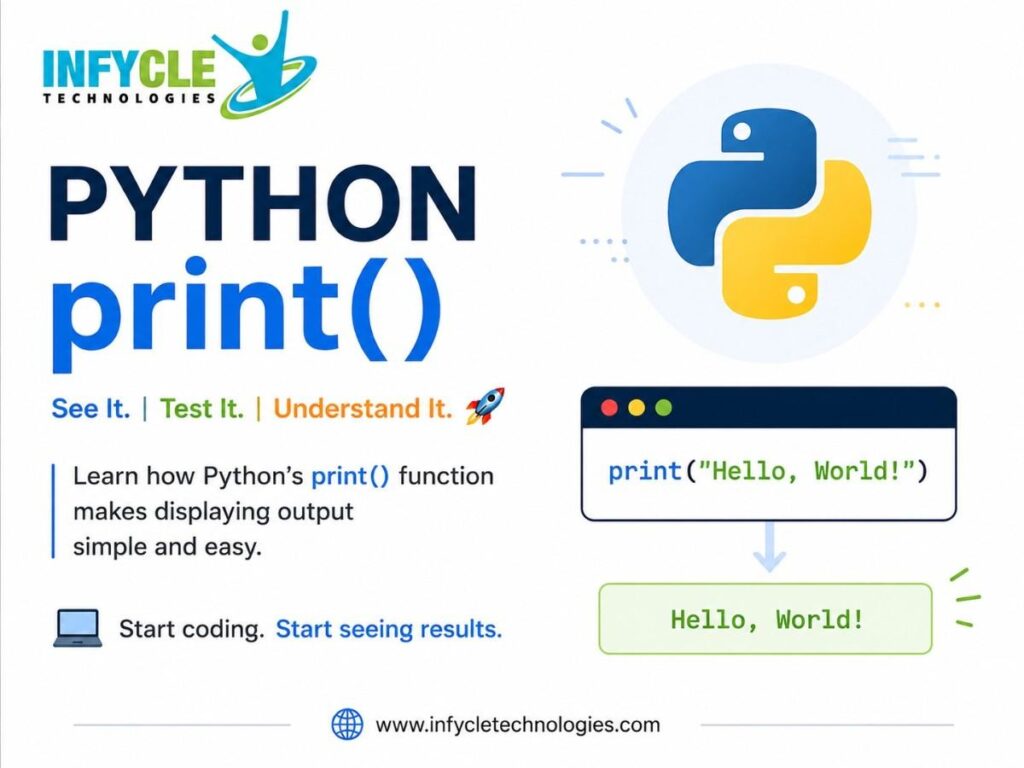
A basic example looks like this:
print("Hello, World!")The output will be:
Hello, World!Furthermore, you can display numbers without converting them into text first.
print(25)
print(10 + 15)
The first statement displays 25, while the second displays 25 after Python evaluates the expression.
You can also print the value stored inside a variable.
name = "Siva"
print(name)
As a result, Python displays the value stored in name.
The python print function also accepts multiple arguments.
name = "Siva"
course = "Python"

print(name, course)
Python places a space between the values by default. However, you can change that behavior with additional parameters.
Why Choose a python print function in Chennai?
Learning Python fundamentals helps Chennai students build confidence before moving into advanced programming topics.
The print() function is especially useful because it gives immediate feedback while practicing code. For instance, beginners can display variable values and check the results of calculations.
Moreover, Python is used across web development, automation, data analysis, artificial intelligence, and testing. Therefore, understanding basic Python concepts creates a useful foundation for several technology careers.
Students from Arts, Science, Commerce, and Engineering backgrounds can begin with simple programming exercises. Similarly, fresh graduates and career changers can gradually move from Python fundamentals to project-based learning.
A structured python print function learning approach can also help beginners understand variables, strings, numbers, conditions, loops, and functions.
Key Modules Covered in a python print function
The print function includes several useful features that beginners should understand.
Basic Python print function Syntax
The basic syntax is simple:
print(object)Here, object represents the value you want to display. Furthermore, Python allows multiple objects inside the same function call.
print("Python", "Programming", "Course")The output appears as:
Python Programming CourseUsing Python print function with Variables
Variables make output more useful in real programs.
name = "Anu"
age = 22

print(name)
print(age)
You can also display both values together.
print("Name:", name, "Age:", age)Therefore, print() becomes useful when checking program data during development.
Using the sep Parameter
The sep parameter controls the separator between multiple values.
print("2026", "08", "25", sep="-")The output becomes:
2026-08-25By default, Python uses a space as the separator. However, sep allows developers to choose another character or string.
Using the end Parameter
The end parameter controls what Python adds after the printed output.
print("Hello", end=" ")
print("Python")
The output appears on the same line:
Hello PythonFurthermore, this option can help when you need greater control over console output.
Printing Formatted Values
Python also supports formatted output through f-strings.
name = "Rahul"
score = 90

print(f"{name} scored {score} marks.")
This approach makes output easier to read. In addition, it helps developers combine text and variables naturally.
Practical Tools You Master in python print function Training
Practical Python learning involves more than memorizing the print syntax.
For instance, beginners can use VS Code, PyCharm, or IDLE to write and execute Python programs. Furthermore, these environments provide features that make debugging and code editing easier.
Learners can practice variables, calculations, conditions, loops, and functions through small exercises. As a result, they can understand how print() supports debugging and output checking.
You can also use the Python terminal to execute short programs quickly. Therefore, beginners can test individual statements without creating a complete application.
Version control tools such as Git can support larger projects. In addition, learners can store their practice programs and track changes as their skills improve.
The python print function becomes more valuable when learners use it inside real programming exercises. For example, they can display loop results, calculation outputs, user input, and processed data.
Career Opportunities After Completing a python print function
Learning the print function alone does not qualify someone for a Python development role, but it forms part of the programming foundation.
For example, Python learners can progress toward roles such as Python Developer, Backend Developer, Data Analyst, Automation Tester, and Junior Software Developer.
However, career preparation requires broader skills. These include Python programming, databases, APIs, frameworks, problem-solving, version control, and project development.
Furthermore, learners interested in data-related careers can move from Python basics toward NumPy, Pandas, data visualization, and machine learning.
Those interested in web development can explore frameworks such as Django or Flask. Therefore, beginners should treat basic functions as building blocks for larger technical skills.
Self-Learning vs. Hands-on Training at Infycle Technologies
| Learning Factor | Self-Learning | Hands-on Training at Infycle Technologies |
|---|---|---|
| Learning pace | Fully self-directed | Structured schedule |
| Doubt clarification | Online research | Trainer guidance |
| Practice | Depends on learner | Guided exercises |
| Projects | Self-selected | Practical project support |
| Tools | Learner decides | Structured tool exposure |
| Career direction | Self-managed | Career-focused guidance |
Self-learning gives learners access to many free resources. However, beginners may struggle to decide which topics to study first.
On the other hand, guided learning can provide a clear progression from fundamentals to projects. Moreover, regular practice can help learners identify and correct mistakes.
Mid-Article CTA
Want to strengthen your Python fundamentals through practical exercises?
Infycle Technologies offers structured learning for students and job seekers looking for python function practice and broader Python development skills. Furthermore, learners can explore a Python Course in Chennai that matches their career goals and current knowledge.
Frequently Asked Questions
What is the python print function used for?
The python print function displays values and messages in the standard output. Therefore, beginners often use it to understand program results and check variable values.
What is the basic syntax of print() in Python?
The basic syntax is print(object). You can also provide multiple objects and use parameters such as sep and end.
Can print() display multiple values?
Yes, print() can display multiple values in one statement. For example, print("Python", "Java", "SQL") displays all three values with spaces between them.
Is print() useful for debugging?
Yes, beginners often use print() to inspect variable values and program results. However, larger applications may require dedicated debugging tools.
Conclusion
The Python print() function provides a simple way to display text, numbers, variables, and calculated results.
Furthermore, learning its parameters helps beginners control separators, line endings, and formatted output. These small concepts can support stronger programming habits as learners progress toward larger projects.
For students and job seekers, a structured Python Training in Chennai program can provide a practical path from basic syntax to real-world development skills.
Ready to build your Python skills?
Connect with Infycle Technologies, a Best Software Training Institute in Chennai, for free career counseling and a live demo. Discuss your career goals, choose the right learning path, and explore practical Python training before you begin.