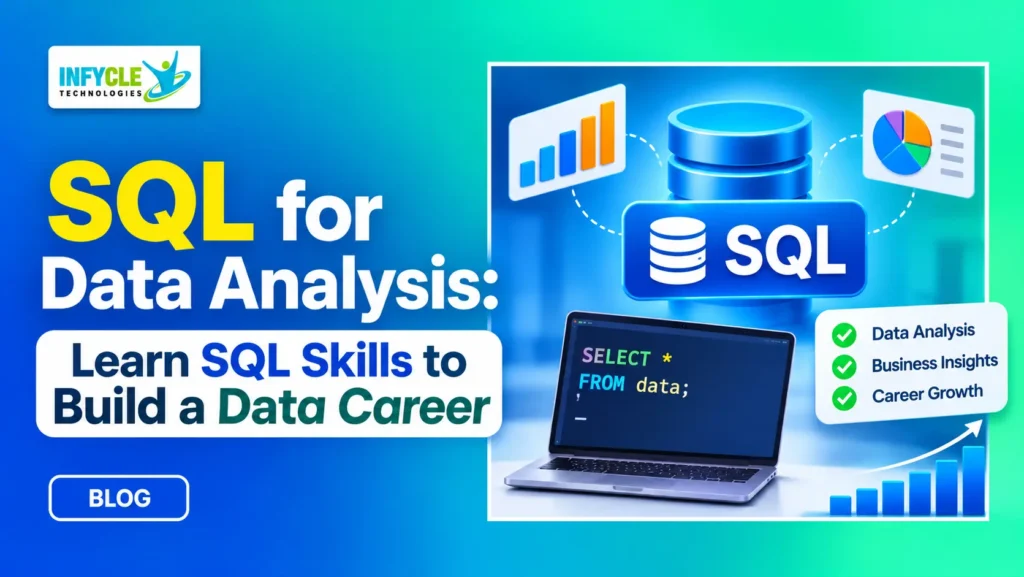
SQL for Data Analysis: Learn SQL Skills to Build a Data Career
Introduction
SQL for Data Analysis helps beginners turn raw business data into useful information. It allows professionals to collect, organize, filter, and analyze data stored in databases. Moreover, companies use SQL to understand customers, track sales, measure performance, and make better business decisions.
If you want to start a career in data analytics, learning SQL is an excellent first step. Furthermore, you do not need advanced programming knowledge to begin. With basic computer skills and regular practice, anyone can understand SQL concepts.
For example, a retail company may have thousands of customer records. However, its management needs to identify top-selling products and monthly revenue. SQL helps analysts retrieve this information within seconds.
In addition, SQL for Data Analysis builds a strong foundation for careers in Data Analytics, Business Intelligence, and Database Management. Students and fresh graduates can also use these skills to improve their job opportunities.
Therefore, learning SQL through practical exercises can help you move closer to your career goals. If you are searching for an Oracle course in Chennai, understanding SQL is a valuable starting point.
Table of Contents
- What Is SQL for Data Analysis?
- Why Is SQL Important for Data Analysis?
- How Does SQL Work?
- What Are the Important SQL Commands?
- How Can You Use SQL for Data Analysis?
- What SQL Functions Should Beginners Learn?
- What Are SQL Joins?
- What Is the Difference Between SQL and Excel?
- What Skills Do You Need to Become a SQL Data Analyst?
- How Can You Learn SQL Through Practical Projects?
- Self-Learning vs. Structured SQL Training
- Frequently Asked Questions
- Conclusion
What Is SQL for Data Analysis?
SQL for Data Analysis is the process of using Structured Query Language to retrieve, filter, organize, and analyze information stored in relational databases.
SQL stands for Structured Query Language. It allows users to communicate with databases through simple commands.
For instance, imagine an online shopping company. It stores customer details, product information, orders, and payments in different tables. Therefore, analysts use SQL to extract meaningful information from these records.
Example:
SELECT *
FROM customers;
This query retrieves all records from the customers table.
Furthermore, analysts can retrieve specific information instead of displaying every record.
SELECT customer_name, city
FROM customers;
This query displays only customer names and cities.
Common applications of SQL include:
- Customer behaviour analysis
- Sales and revenue tracking
- Business performance reporting
- Employee data analysis
- Financial data management
- Marketing campaign analysis
Why Is SQL Important for Data Analysis?
SQL is important because it helps analysts access large amounts of business data quickly and accurately.
Moreover, companies generate huge amounts of information every day. Therefore, they need professionals who can convert that information into useful insights.
Here are some major reasons to learn SQL.
1. Easy Data Retrieval
SQL helps users retrieve information from large databases. For example, you can find customers from Chennai using one simple query.
SELECT *
FROM customers
WHERE city = 'Chennai';
2. Better Business Decisions
Furthermore, SQL helps companies understand business performance. Analysts can identify profitable products, customer trends, and sales patterns.
3. Handling Large Datasets
Excel works well for many small and medium-sized datasets. However, databases are more suitable for managing large volumes of structured information.
4. Career Opportunities
SQL is a useful skill for several technology roles. In addition, many data-related job descriptions include SQL as a required or preferred skill.
Some related roles include:
- Data Analyst
- Business Analyst
- SQL Developer
- Database Analyst
- Business Intelligence Analyst
- Reporting Analyst
How Does SQL Work?
SQL works by sending commands to a database management system. The database processes those commands and returns the requested results.
First, an analyst connects to a database. Next, the analyst writes a query to retrieve or modify information. Finally, the database returns the results.
A simple SQL workflow:
- Connect to a database.
- Select the required table.
- Write an SQL query.
- Execute the query.
- Review the results.
- Use the results for analysis.
For example, Oracle Database, MySQL, Microsoft SQL Server, and PostgreSQL support SQL.
Therefore, learning SQL fundamentals gives you transferable database skills.
What Are the Important SQL Commands?
SQL commands help users perform different database operations. Each command serves a specific purpose.
SQL commands generally fall into five categories.
| Category | Purpose | Examples |
|---|---|---|
| DDL | Defines database structures | CREATE, ALTER, DROP |
| DML | Modifies table data | INSERT, UPDATE, DELETE |
| DQL | Retrieves information | SELECT |
| DCL | Controls permissions | GRANT, REVOKE |
| TCL | Manages transactions | COMMIT, ROLLBACK |
1. SELECT Command
The SELECT command retrieves information from a database table.
SELECT * FROM employees;2. WHERE Command
The WHERE clause filters records based on specific conditions.
SELECT *
FROM employees
WHERE salary > 30000;
3. ORDER BY Command
ORDER BY sorts the retrieved records.
SELECT *
FROM employees
ORDER BY salary DESC;
4. GROUP BY Command
GROUP BY groups records with similar values. Moreover, it works with aggregate functions to summarize information.
SELECT department, COUNT(*)
FROM employees
GROUP BY department;
5. HAVING Command
HAVING filters grouped results based on aggregate conditions.
SELECT department, COUNT(*)
FROM employees
GROUP BY department
HAVING COUNT(*) > 5;
How Can You Use SQL for Data Analysis?
You can use SQL to solve real business problems by applying queries to practical datasets.
For example, consider a company with an employee database.
Imagine the employee table contains:
| Employee ID | Name | Department | Salary |
|---|---|---|---|
| 101 | Arun | IT | 45000 |
| 102 | Priya | HR | 35000 |
| 103 | Kumar | IT | 55000 |
| 104 | Divya | Sales | 40000 |
| 105 | Ravi | HR | 30000 |
Now, let’s explore practical SQL queries.
Find Employees With Salaries Above ₹40,000
SELECT *
FROM employees
WHERE salary > 40000;
This query identifies employees earning more than ₹40,000.
Calculate the Average Salary
SELECT AVG(salary)
FROM employees;
This query calculates the average salary across all employee records.
Find the Highest Salary
SELECT MAX(salary)
FROM employees;
Similarly, you can use MIN() to find the lowest salary.
Count Employees in Each Department
SELECT department, COUNT(*) AS employee_count
FROM employees
GROUP BY department;
This query helps management understand department-wise employee distribution.
Furthermore, these examples show how SQL supports everyday business analysis.
What SQL Functions Should Beginners Learn?
SQL functions help analysts perform calculations and summarize database information. Furthermore, they reduce manual work and make data analysis easier.
Here are the most useful SQL functions for beginners.
| SQL Function | Purpose | Example |
|---|---|---|
| COUNT() | Counts records | COUNT(*) |
| SUM() | Calculates total | SUM(salary) |
| AVG() | Calculates average | AVG(salary) |
| MAX() | Finds highest value | MAX(salary) |
| MIN() | Finds lowest value | MIN(salary) |
| UPPER() | Converts text to uppercase | UPPER(name) |
| LOWER() | Converts text to lowercase | LOWER(name) |
| ROUND() | Rounds numeric values | ROUND(AVG(salary), 2) |
How Do Aggregate Functions Help Data Analysis?
Aggregate functions summarize multiple records into meaningful results.
For example, a sales analyst can calculate total revenue using SUM().
SELECT SUM(sales_amount) AS total_revenue
FROM sales;
Similarly, COUNT() helps identify the total number of orders.
SELECT COUNT(*) AS total_orders
FROM orders;
Therefore, aggregate functions are essential for business reports and performance analysis.
How Do SQL Date Functions Support Analysis?
Date functions help analysts examine information across different time periods.
For example, businesses often compare monthly sales and yearly performance. SQL date functions make these calculations easier.
SELECT
    order_date,
    EXTRACT(MONTH FROM order_date) AS order_month
FROM orders;
The EXTRACT() function retrieves the month from a date value in databases that support this syntax.
However, date functions can differ between Oracle, MySQL, and SQL Server. Therefore, learn the syntax of your chosen database.
What Are SQL Joins and Why Are They Important?
SQL JOINs combine related information from two or more tables using matching columns.
For instance, a company may store customer information separately from order information. However, analysts often need both datasets in one report.
Here are the four important SQL JOIN types.
| JOIN Type | How It Works |
|---|---|
| INNER JOIN | Returns matching records from both tables |
| LEFT JOIN | Returns all left-table records and matching right-table records |
| RIGHT JOIN | Returns all right-table records and matching left-table records |
| FULL OUTER JOIN | Returns matching and non-matching records from both tables |
Example of an INNER JOIN
Consider two tables: customers and orders.
SELECT
    customers.customer_name,
    orders.order_id
FROM customers
INNER JOIN orders
ON customers.customer_id = orders.customer_id;
This query displays customers with matching orders.
Furthermore, JOINs help analysts build meaningful reports from related business information. Consequently, understanding JOINs is an important step in SQL for Data Analysis.
What Is the Difference Between SQL and Excel?
SQL and Excel both support data analysis. However, they serve different purposes and offer different capabilities.
| Feature | SQL | Excel |
|---|---|---|
| Main purpose | Database querying | Spreadsheet analysis |
| Data storage | Relational databases | Worksheets |
| Large datasets | Suitable for large database tables | Depends on worksheet limits and system resources |
| Automation | Queries and database workflows | Formulas, macros, and automation |
| Data filtering | WHERE clause | Filters |
| Data summarization | GROUP BY | PivotTables |
| Best use | Database analysis | Spreadsheet reporting |
For example, an analyst can use Excel to create charts and dashboards. Meanwhile, SQL can retrieve the required information from a large database.
Therefore, combining SQL and Excel can improve your data analysis workflow.
What Skills Do You Need to Become a SQL Data Analyst?
A successful SQL Data Analyst needs database knowledge, analytical thinking, and practical problem-solving skills.
However, beginners do not need to master every technology immediately. Instead, build your skills step by step.
Important skills include:
- SQL Fundamentals: Learn SELECT, WHERE, ORDER BY, and GROUP BY.
- Database Knowledge: Understand tables, columns, primary keys, and foreign keys.
- SQL Joins: Learn how to combine information from multiple tables.
- Excel: Understand formulas, filters, and PivotTables.
- Data Visualization: Explore Power BI or Tableau.
- Statistics: Learn averages, percentages, and basic statistical concepts.
- Communication: Explain findings using simple business language.
Furthermore, Python can help you perform advanced data analysis. Therefore, consider learning Python after building a strong SQL foundation.
How Can You Learn SQL Through Practical Projects?
Practical projects help beginners apply SQL concepts to real-world problems. Moreover, they give you useful examples to discuss during interviews.
Here are five beginner-friendly project ideas.
1. Employee Management Analysis
Create an employee database and analyze department details, salaries, and employee counts.
Practice concepts: SELECT, WHERE, GROUP BY, AVG, and MAX.
2. Sales Data Analysis
Analyze sales transactions to identify profitable products and monthly revenue.
Practice concepts: SUM, COUNT, ORDER BY, and GROUP BY.
3. Customer Behaviour Analysis
Study customer purchases and identify frequent buyers.
Practice concepts: JOIN, COUNT, WHERE, and aggregate functions.
4. Student Performance Analysis
Analyze student marks, attendance, and examination results.
Practice concepts: AVG, MIN, MAX, and conditional filtering.
5. E-Commerce Order Analysis
Examine orders, customers, payments, and product information.
Practice concepts: Multiple JOINs, subqueries, and date functions.
As a result, these projects help you develop practical confidence. In addition, you can include completed projects in your resume or portfolio.
Learn SQL with Practical Training at Infycle Technologies
Want to learn SQL with practical guidance?
Infycle Technologies provides software training designed to help students and job seekers develop industry-relevant technical skills.
Furthermore, our training approach focuses on practical exercises, database concepts, and real-world applications.
What can you learn?
- SQL fundamentals and database concepts
- Oracle SQL commands and queries
- Data filtering and sorting
- Aggregate functions and JOINs
- Subqueries and advanced SQL concepts
- Practical database exercises
- Interview preparation and career guidance
Whether you are a college student, fresh graduate, or career changer, structured training can help you build confidence.
Explore Oracle and SQL training at Infycle Technologies, Chennai.
How Can You Prepare for SQL Interviews?
SQL interview preparation requires both theoretical understanding and practical query-writing experience.
First, understand database fundamentals. Next, practise writing queries using sample datasets. Finally, explain your solutions clearly.
Common SQL interview questions include:
| Interview Question | Concept to Prepare |
|---|---|
| What is SQL? | SQL fundamentals |
| What is a primary key? | Database constraints |
| What is the difference between WHERE and HAVING? | Filtering |
| What are SQL JOINs? | Combining tables |
| What is a subquery? | Nested queries |
| What is the difference between DELETE and TRUNCATE? | Data manipulation |
| What are aggregate functions? | Data summarization |
| What is normalization? | Database design |
Moreover, practise writing queries without copying examples. This helps you explain your approach confidently during technical interviews.
Self-Learning vs. Structured SQL Training
Both self-learning and structured training can help you learn SQL. However, your learning experience depends on your practice routine and guidance.
| Comparison | Self-Learning | Structured Training |
|---|---|---|
| Learning method | Online resources and tutorials | Guided lessons |
| Learning schedule | Flexible | Planned |
| Doubt clarification | Independent research | Trainer guidance |
| Practical exercises | Self-managed | Guided practice |
| Project support | Depends on resources | May include project guidance |
| Interview preparation | Self-managed | May include interview practice |
| Learning discipline | Requires self-motivation | Follows a learning schedule |
Which option should you choose?
If you enjoy independent learning, online resources can help you develop SQL skills. However, beginners who need regular feedback may benefit from structured training.
Therefore, choose a learning method that matches your experience, schedule, and career goals.
Frequently Asked Questions About SQL for Data Analysis
1. Is SQL for Data Analysis suitable for beginners?
Yes, SQL for Data Analysis is suitable for beginners with basic computer knowledge. You can start with simple SELECT statements and gradually learn filtering, sorting, grouping, and JOINs. Furthermore, regular practice helps you understand real database operations.
2. How long does it take to learn SQL?
Most beginners can understand basic SQL within two to four weeks with consistent practice. However, mastering advanced queries, JOINs, subqueries, and database concepts requires additional time. Therefore, practise with real datasets to improve your skills.
3. Is SQL required for Data Analyst jobs?
Yes, SQL is an important skill for many Data Analyst positions. Companies use SQL to retrieve, filter, and analyze business information. Moreover, combining SQL with Excel, Power BI, and Python can strengthen your professional skill set.
4. Which database should beginners learn first?
Beginners can start with Oracle SQL or MySQL because both provide practical ways to understand relational databases. Furthermore, learning SQL fundamentals makes it easier to explore other database platforms. Choose a database based on your training and career requirements.
5. Can I get a job after learning SQL?
Yes, SQL can help you prepare for entry-level data-related roles. However, employers also evaluate analytical thinking, practical experience, and communication skills. Therefore, build projects, practise interview questions, and learn supporting tools like Excel and Power BI.
Conclusion: Start Your SQL for Data Analysis Journey
SQL for Data Analysis is an essential skill for anyone interested in working with business data. It helps you retrieve information, identify patterns, calculate results, and support better business decisions.
Furthermore, learning SQL gives you a strong foundation for exploring Data Analytics, Business Intelligence, and database-related careers.
Start with basic commands such as SELECT, WHERE, GROUP BY, and ORDER BY. Next, practise aggregate functions, JOINs, and subqueries. Eventually, apply your knowledge through practical projects.
If you are looking for an Oracle course in Chennai, Infycle Technologies can help you strengthen your SQL and database knowledge through practical training.
Whether you are a student, fresher, or working professional, take the first step towards building your technical skills.